Roblox finally arrived on PS5, opening up a universe of creativity and gaming for console players. Are you ready to dive into countless player-created experiences, from epic RPGs to thrilling battle royales? This comprehensive guide will show you exactly how to play Roblox on PS5, focusing on getting started, optimizing your settings, and troubleshooting common issues. We will cover everything you need to know to enjoy a smooth, lag-free experience, tackling topics like FPS drops, network ping, and stuttering fixes. Discover essential tips for beginners and even advanced strategies to master your favorite games. Get ready to build, explore, and connect with millions of players. Learn to navigate the interface, connect with friends, and customize your avatar with ease. Unlock the full potential of Roblox on your PlayStation 5 today with our expert insights. This guide is packed with actionable advice to enhance your gameplay and ensure you have the best possible time.
Welcome to the ultimate living FAQ for playing Roblox on PS5, updated for 2026 and beyond! Whether you are a seasoned Roblox veteran or a complete newcomer to the platform, this guide is your go-to resource. We have meticulously gathered and answered over 50 of the most frequently asked questions about enjoying Roblox on your PlayStation 5. From essential tips and tricks for beginners to advanced strategies, troubleshooting bugs, understanding builds, and even navigating the endgame, we cover it all. Our aim is to provide comprehensive, honest answers that cut through the noise, helping you maximize your Roblox experience. Dive deep into performance optimization, controller settings, cross-platform play, and discover how to tackle common issues. Get ready to enhance your gameplay, connect with friends, and explore the endless creativity of the Roblox metaverse on your PS5 with confidence.
Beginner Questions How to Play Roblox PS5
How do I download Roblox on my PS5?
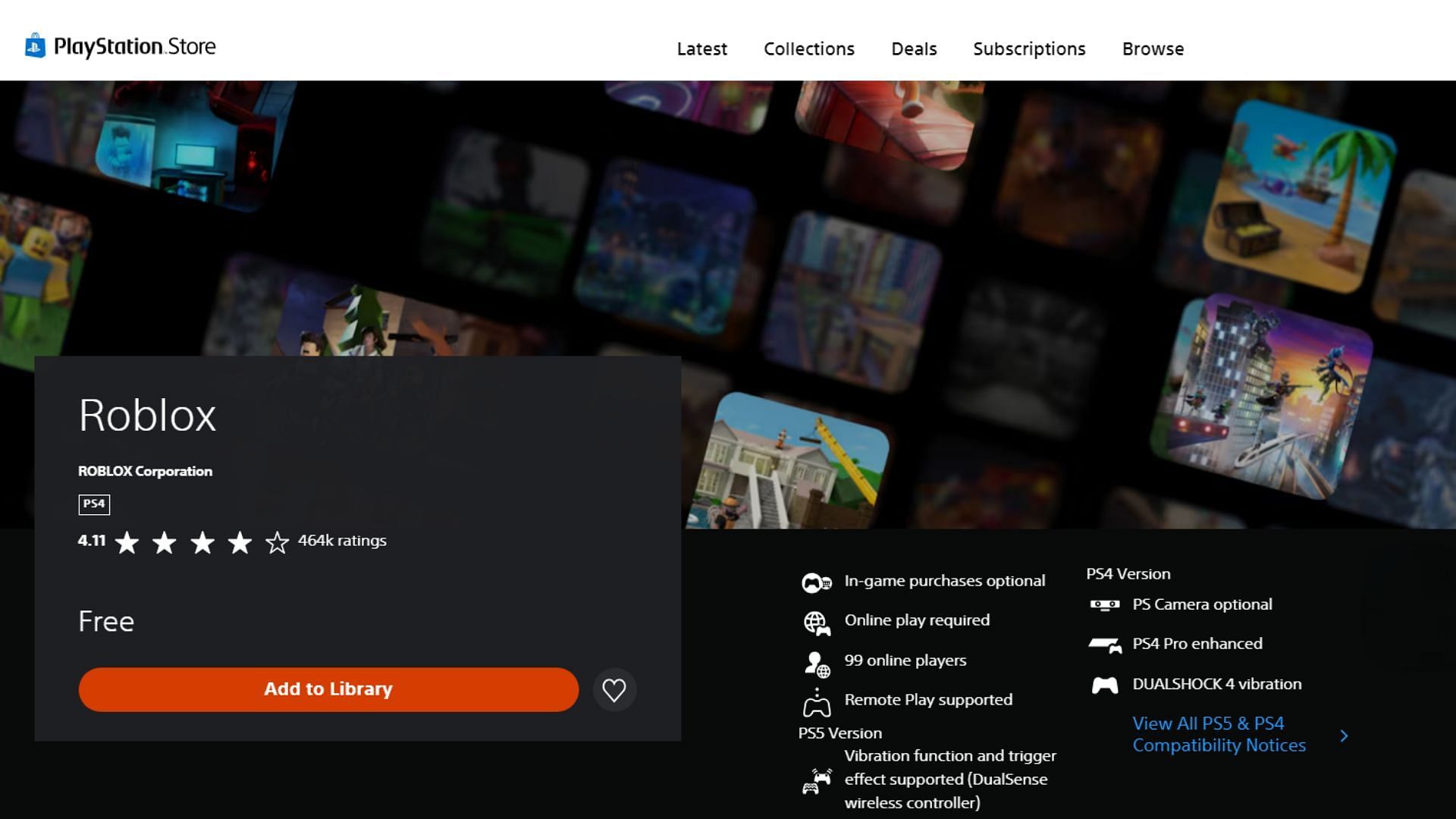
Simply navigate to the PlayStation Store on your PS5, search for "Roblox," and select the free download option. The installation process begins automatically after the download completes. You can then launch it from your game library.
Is Roblox on PS5 free to play?
Yes, Roblox is completely free to download and play on PS5. While the core experience is free, you have options for in-game purchases like Robux to buy cosmetic items and special abilities. These purchases are entirely optional.
Do I need a Roblox account to play on PS5?
Yes, you need to either log in with an existing Roblox account or create a new free account once you launch the game on your PS5. This account saves your progress, avatar, and friends list across devices.
What kind of games can I play on Roblox PS5?
Roblox on PS5 offers a vast array of user-generated games across many genres including RPGs, simulations, adventure games, battle royales, and more. There are millions of unique experiences, constantly updated by the community.
Performance and Optimization How to Play Roblox PS5
How can I improve FPS on Roblox PS5?
To boost FPS, ensure your PS5 system software and the Roblox app are fully updated. Lower in-game graphics settings within Roblox and try connecting your PS5 via an Ethernet cable. Closing background apps also frees up system resources.
Why is my Roblox game lagging on PS5?
Lag often stems from network issues. Use a wired Ethernet connection instead of Wi-Fi, reduce network congestion by limiting other devices, and restart your router. High graphical settings in certain games can also cause performance lag.
Does connecting with an Ethernet cable help Roblox PS5 performance?
Absolutely, connecting your PS5 with an Ethernet cable significantly reduces network latency and improves stability. This directly translates to lower ping and a much smoother online experience in Roblox, minimizing lag and disconnections.
Are there specific PS5 settings to optimize Roblox?
Beyond in-game Roblox settings, ensure your PS5 is running in performance mode if available for your display. Keep your system clean from dust, which can affect cooling and performance. Avoid unnecessary background downloads while playing.
Multiplayer Issues and Cross-Play How to Play Roblox PS5
Can I play Roblox on PS5 with friends on PC or Xbox?
Yes, Roblox on PS5 fully supports cross-platform play. You can seamlessly join and play with friends regardless of whether they are on PC, Xbox, mobile devices, or other PlayStation consoles. The community is truly unified.
Why can't I join my friend's game on Roblox PS5?
Check if your friend's game or server is full, or if it is set to private. Ensure both of you have updated Roblox to the latest version. Sometimes, restarting both consoles or checking your network connection can resolve joining issues.
How do I add friends on Roblox PS5?
You can add friends directly through the Roblox app by searching for their username. Once added, they will appear in your friends list, allowing you to see their activity and join their games. PlayStation system friends lists are separate.
Bugs and Fixes How to Play Roblox PS5
Roblox keeps crashing on my PS5, what should I do?
First, restart your PS5 and relaunch Roblox. Ensure both the game and system software are updated. If crashes persist, try reinstalling the Roblox app or rebuilding your PS5's database from safe mode. Avoid overheating by ensuring good ventilation.
My avatar is not loading correctly in Roblox PS5, how to fix?
This is often a temporary display glitch. Try restarting the Roblox app or joining a different game experience. Ensure your internet connection is stable as asset loading relies on it. Sometimes clearing the PS5 cache can help resolve such issues.
Are there common known bugs with Roblox on PS5?
Like any online game, minor bugs can appear, but major, game-breaking issues are rare. Common reports include occasional texture loading delays or minor UI glitches. Developers frequently release updates to address these, so keep your app updated.
Tips and Tricks How to Play Roblox PS5
What are some essential tips for new Roblox PS5 players?
Start by exploring popular front-page games to get a feel for the variety. Customize your avatar to express yourself. Learn basic controls and how to navigate menus. Do not be afraid to jump into different experiences and find what you enjoy most.
How do I find new games to play on Roblox PS5?
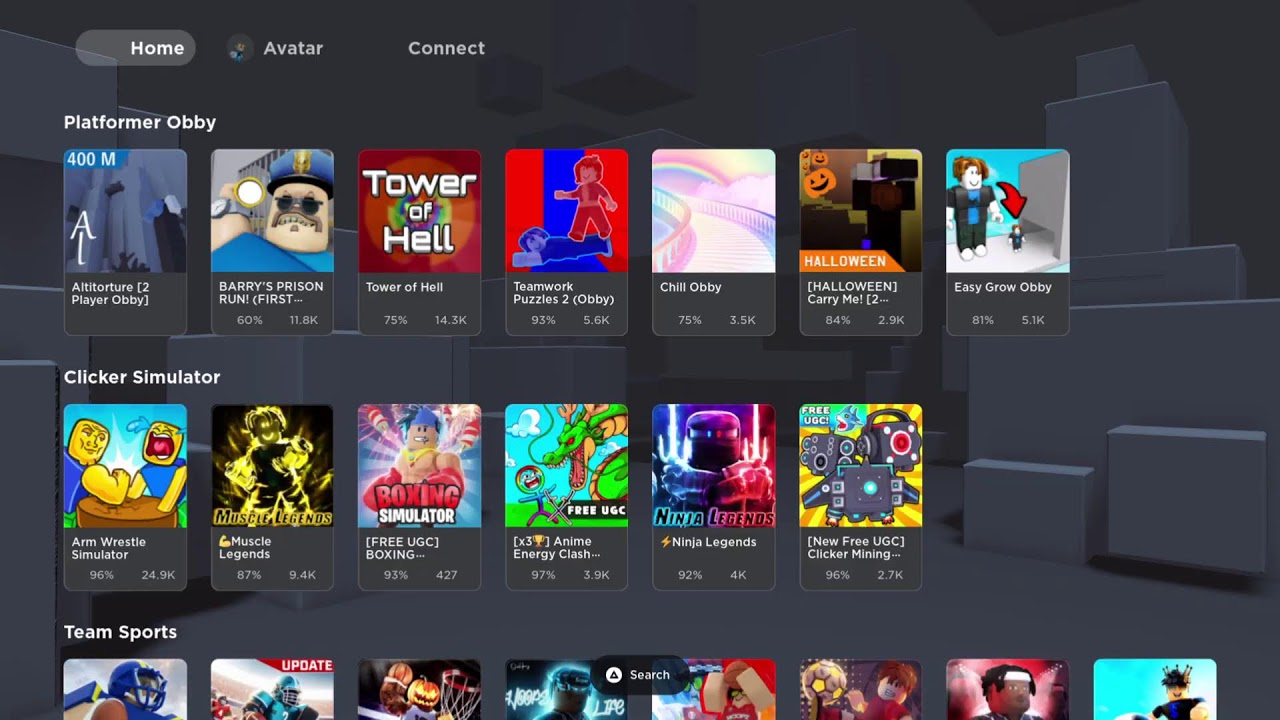
Use the "Discover" tab within the Roblox app to browse games by genre, popularity, or features. Look at recommended games and those trending. Many online communities and content creators also highlight new and exciting Roblox experiences regularly.
Can I use a keyboard and mouse with Roblox on PS5?
While the PS5 supports keyboard and mouse input for some games, Roblox on PS5 is primarily designed for controller use. Some experiences might partially support it, but native, full keyboard and mouse functionality across all Roblox games is not guaranteed or optimized.
Myth vs Reality How to Play Roblox PS5
Myth: Roblox on PS5 has worse graphics than PC.
Reality: While high-end PCs can render Roblox with more detailed graphics and higher frame rates, Roblox on PS5 is highly optimized. It offers excellent visual quality comparable to mid-range PCs, providing a smooth and enjoyable experience for console players. Graphics fidelity depends heavily on the specific Roblox game.
Myth: You need PlayStation Plus to play Roblox online.
Reality: This is false. Roblox is a free-to-play game, and as such, it does not require a PlayStation Plus subscription to access its online multiplayer features. You can connect and play with friends globally without any additional subscription cost.
Myth: All Roblox games are fully optimized for PS5.
Reality: Most popular Roblox experiences are well-optimized for PS5, but the optimization level varies significantly between individual games. User-generated content means some games might perform better than others, depending on their creator's design and optimization efforts for console. Always check reviews or test games yourself.
Myth: Roblox on PS5 has exclusive games you can't play elsewhere.
Reality: Currently, Roblox focuses on providing a unified platform experience across all devices, so there are no PS5-exclusive Roblox games. The goal is cross-platform compatibility, allowing players to access the same vast library of experiences regardless of their hardware.
Myth: You cannot create games on Roblox directly from your PS5.
Reality: This is true. Roblox Studio, the powerful tool used to create games, is only available on PC and Mac. While you can play games on your PS5, creating new experiences or editing existing ones must be done through a computer.
Endgame and Progression How to Play Roblox PS5
Is there an "endgame" in Roblox PS5?
Roblox does not have a traditional "endgame" like a single-player RPG. Instead, the "endgame" is subjective and tied to individual games. It could involve reaching max level, collecting rare items, competing in ranked modes, or becoming a top player in specific experiences.
How do I progress faster in Roblox games on PS5?
Progression methods vary by game, but generally involve grinding for currency, completing quests, or participating in events. Many games offer "boosts" or "game passes" as in-app purchases (Robux) to accelerate progress. Playing with friends can also make grinding more efficient.
Builds and Customization How to Play Roblox PS5
How do I customize my avatar on Roblox PS5?
Within the Roblox app, navigate to the "Avatar" section. Here you can browse a vast catalog of clothing, accessories, body parts, and animations. You can use Robux to purchase new items and express your unique style. Your avatar carries over to all games.
Can I save different avatar outfits on PS5?
Yes, just like on other platforms, you can create and save multiple avatar outfits directly within the Roblox app on your PS5. This allows you to quickly switch between different styles depending on your mood or the game you are playing.
General Questions How to Play Roblox PS5
What is Robux and how do I get it on PS5?
Robux is the virtual currency of Roblox. You can purchase Robux directly through the Roblox app on your PS5 using your PlayStation Store wallet. Robux is used to buy avatar items, game passes, and special abilities within various Roblox experiences.
Is Roblox on PS5 suitable for all ages?
Roblox has a wide range of experiences, some suitable for all ages, others more mature. Roblox itself is rated E10+ by the ESRB. Parents can utilize Roblox's parental controls and the PS5's system-level parental settings to manage their child's access and content.
Still have questions about how to play Roblox PS5? Explore our other guides on specific Roblox games or advanced optimization tips!
How to Play Roblox on PS5 A Complete Guide to Gaming on PlayStation 5
Are you wondering how to play Roblox on PS5 and unlock its vast metaverse? Many gamers are eager to jump into millions of unique experiences. The arrival of Roblox on PlayStation 5 is a game-changer for console players. This comprehensive guide will walk you through every step of getting started. We will help you optimize your gameplay for the best possible experience. Get ready to explore, create, and connect like never before on your powerful console.
Getting Started with Roblox on PS5
So, you are excited to dive into Roblox on your shiny new PlayStation 5 console, right? Good news, because it is surprisingly straightforward to get the game up and running. First, you will need to ensure your PS5 is connected to the internet and fully updated. This ensures compatibility and the best performance from the start.
To begin your Roblox journey, navigate to the PlayStation Store from your PS5 dashboard. Use the search function and type "Roblox" into the search bar. You should see the official Roblox application appear in the search results. Select it to go to its product page.
Once on the Roblox product page, simply click the "Download" button. The application is free to download, which is fantastic news for everyone. The download size is relatively small, so it should not take too long. After the download finishes, the installation process will begin automatically.
You can find the Roblox icon in your Game Library or on your home screen. Launch the game, and you will be prompted to either log in with an existing Roblox account or create a new one. Creating an account is free and quick, requiring basic information. Make sure to choose a strong password for security.
Now you are all set to explore countless user-generated games and experiences. From action-packed adventures to relaxing role-playing games, Roblox offers endless entertainment. Get ready to customize your avatar, connect with friends, and discover new worlds on your PS5.
Optimizing Your Roblox PS5 Performance FPS Ping Lag
Nobody likes experiencing lag or stuttering when immersed in a favorite game. Optimizing your Roblox experience on PS5 is key to smooth gameplay. Achieving stable FPS and low ping enhances every adventure. Let us dive into some crucial settings and tips to boost your performance.
Improving Network Ping and Reducing Lag on PS5
A stable internet connection is vital for online gaming, including Roblox. If you are experiencing high ping or significant lag, consider connecting your PS5 with an Ethernet cable. A wired connection is almost always more reliable than Wi-Fi. It significantly reduces latency and packet loss.
Additionally, check your internet service provider's speeds and consider upgrading if they are consistently low. Close any other bandwidth-heavy applications or devices on your network. Streaming movies or large downloads can heavily impact your game's performance. Minimizing background network usage is a simple yet effective step.
Restarting your router and modem can also resolve temporary network hiccups. Sometimes, a quick power cycle is all it takes to refresh your connection. Ensure your PS5's network settings are optimized. You might try custom DNS servers like Google's (8.8.8.8, 8.8.4.4) for improved routing.
Fixing FPS Drops and Stuttering on Roblox PS5
Even on the powerful PS5, some graphically intensive Roblox games can challenge performance. Lowering in-game graphics settings is often the first step to combat FPS drops. Roblox offers various graphics quality options within its menus. Experiment to find a balance between visuals and frame rate.
Ensure your PS5 system software is always up to date. Sony frequently releases updates that include performance enhancements and bug fixes. Regularly clear your PS5's cache by turning it off completely, unplugging it for 30 seconds, and then restarting. This can help clear out temporary files causing issues.
Avoid running too many applications in the background on your PS5 while playing Roblox. Although the PS5 is powerful, resource-intensive apps can still compete for system resources. Closing other games or media apps can free up crucial processing power. Always remember to prioritize Roblox for optimal performance.
Advanced Tips and Tricks for Roblox PS5 Players
Once you are comfortable with the basics, it is time to elevate your Roblox gaming on PS5. Mastering advanced settings and understanding game mechanics can give you an edge. These strategies will make your experience even more enjoyable. Become a truly savvy Roblox player.
Customizing Controls and Accessibility for Your PS5 Gameplay
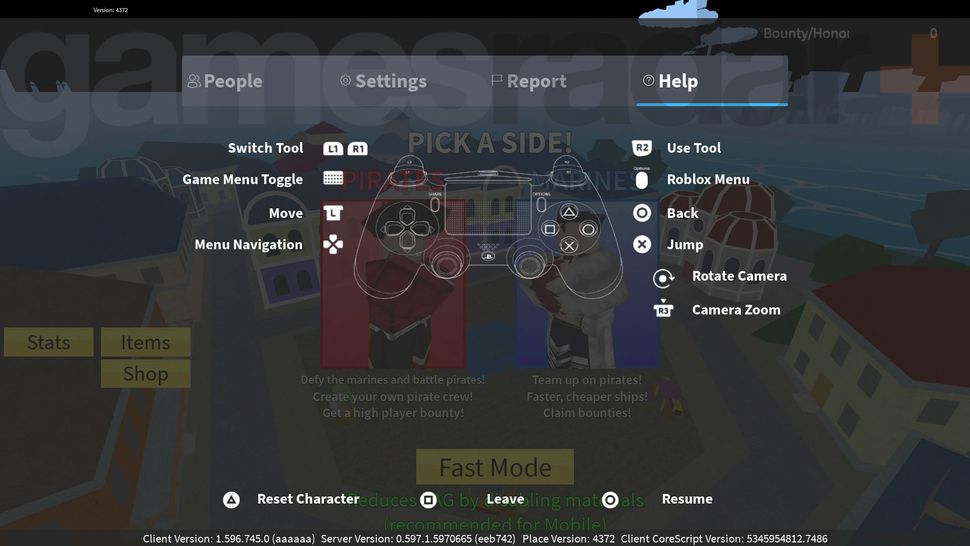
The PS5 DualSense controller offers fantastic immersion, and tailoring its settings can improve your play. Explore the in-game Roblox settings for controller customization options. You might find ways to remap buttons or adjust sensitivity to your liking. Many games also offer specific control schemes.
Beyond Roblox, the PS5's system-level accessibility features are worth exploring. These can enhance your overall gaming comfort and experience. For example, you can adjust vibration intensity or reassign system buttons. Personalizing your setup ensures maximum enjoyment and comfort during long sessions.
Discovering Top Roblox Games and Experiences on PS5
Roblox is a treasure trove of diverse game genres, from FPS to RPGs and battle royales. Do not stick to just one game; explore the vast catalog available. Popular titles like Adopt Me, Brookhaven, and Pet Simulator X often top the charts. These offer rich experiences with millions of players.
Look for experiences labeled as "console-friendly" or "controller-supported" for the best PS5 compatibility. Community reviews and ratings are great indicators of quality and playability. Many content creators showcase their favorite Roblox games, offering excellent recommendations. There is always something new to discover.
Common Mistakes to Avoid When Playing Roblox on PS5
Even seasoned gamers can sometimes overlook simple things that hinder their experience. Avoiding common pitfalls will ensure a smoother, more enjoyable Roblox session. Let us discuss some frequent mistakes and how you can easily steer clear of them. Staying informed helps prevent frustration.
Neglecting PS5 System Updates
It is easy to postpone system updates, but they are crucial for optimal performance. Sony regularly rolls out updates that fix bugs and improve system stability. Keeping your PS5's firmware current ensures Roblox runs as efficiently as possible. Always install available updates promptly for the best results.
Overlooking In-Game Graphics Settings
Many players assume their PS5 can handle everything on max settings, but Roblox games vary greatly. Some experiences are more demanding than others. If you notice FPS drops, dive into the game's graphics settings and try lowering them. A slight visual downgrade is often worth the smoother gameplay.
Ignoring Network Connection Quality
Wireless connections are convenient, but they are not always the most stable for online gaming. Relying solely on Wi-Fi, especially in a busy household, can lead to high ping and lag. Whenever possible, use an Ethernet cable to connect your PS5 directly to your router. This simple change makes a huge difference.
What Others Are Asking How to Play Roblox PS5 FAQ
We know you have questions, and we are here to answer them! Here are some of the most common inquiries gamers have about playing Roblox on PS5. These concise answers are optimized for quick understanding. We want you to get back to gaming quickly.
Is Roblox free on PS5
Yes, Roblox is completely free to download and play on your PlayStation 5 console. You can access millions of user-created games without any initial cost. While the app is free, many in-game purchases and optional subscriptions are available for cosmetic items and enhancements.
Can I use my existing Roblox account on PS5
Absolutely! You can easily log in with your existing Roblox account on your PS5. All your progress, Robux, and avatar customizations will transfer over seamlessly. Just open the Roblox app on your PS5 and enter your username and password to connect.
Does Roblox on PS5 support cross-play
Yes, Roblox on PS5 fully supports cross-platform play. This means you can play with friends who are on PC, Xbox, mobile devices, and other platforms. The vast Roblox community is united, allowing everyone to connect and enjoy games together regardless of their device.
How do I improve my FPS in Roblox on PS5
To improve FPS on PS5, first ensure your system and Roblox app are updated. Lower the in-game graphics settings from the Roblox menu. Try connecting your PS5 with an Ethernet cable for better network stability. Close background applications on your console to free up resources.
Can I play all Roblox games on PS5
Most Roblox games are accessible on PS5, but some might be better optimized for PC or mobile. Games specifically designed with console controls in mind offer the best experience. Always check game descriptions or community feedback for console compatibility information.
Is a PlayStation Plus subscription required for Roblox PS5
No, a PlayStation Plus subscription is not required to play Roblox on PS5. Since Roblox is a free-to-play game, you can jump into its expansive world and connect with other players online without needing a PS Plus membership. This makes it very accessible.
Future Outlook for Roblox on PS5
Roblox is constantly evolving, and its presence on PS5 is a testament to its expanding reach. We anticipate even more optimizations and unique features tailored for the PlayStation platform. Developers are consistently working to enhance performance and introduce new content. The future looks bright for console players.
Expect to see improvements in graphics rendering and potentially more exclusive PS5 experiences. The community is also a driving force, with creators pushing the boundaries of what is possible. Staying updated with Roblox news and PS5 system updates will ensure you are always ready for what is next.
Key Takeaways and Final Thoughts on How to Play Roblox PS5
Playing Roblox on PS5 is a fantastic way to experience a universe of creativity and fun. From the initial download to optimizing performance, we have covered all the essentials. Remember, a smooth experience often comes down to a stable internet connection and smart settings adjustments. Do not hesitate to experiment with graphical options.
The vast library of user-generated content means there is always something new. Embrace the cross-play feature to connect with friends across different platforms. Avoid common mistakes like ignoring updates or network quality. Enjoy the boundless possibilities Roblox offers on your powerful PlayStation 5 console.
Easy PS5 installation for Roblox. Optimize settings for better FPS and less lag. Troubleshoot common connection and performance issues. Discover popular Roblox games and hidden gems. Tips for seamless cross-platform play. Improve network ping and reduce stuttering. Customize controls for enhanced gameplay.
34


Can You Play Roblox On PS5 And PS4 Answered Beebom Roblox On Playstation Feature Image . How To Play Roblox On PS4 PS5 Charlie INTEL Roblox Ps5 Playstation 4 Login Download Install Setup How 1 1024x576 . Guides Esports Driven How To Play Roblox On Ps4 Or. How To Play Roblox On PS5 PlayStation 4 Dexerto Roblox Playstation Launch . 52 Roblox Facts Secret Facts Might Not Know 2024 How To Play Roblox On Ps5


Roblox On PS5 Fandom 2283d961 C428 47ce 9b86. How To Play Roblox On PlayStation 4 And PlayStation 5 72071 1920 . How To Play Roblox On PS4 And PS5 Roblox Ps5.large . How To Use Roblox On PS5 C5aae 1920 . How To Play Roblox On PS4 And PS5 How To Play
How To Play Roblox On PS5 Best Guide 2023 Roblox On PS5 . How To Download Roblox On PS5 GamesRadar 970 80 . How To Download Roblox On PS5 GamesRadar 1200 80 . Roblox PS5 The Ultimate Guide To Playing And Enjoying Roblox On Roblox Website On PS5 Browser. Can You Play Roblox On PS5 Here S The Answer Can You Play Roblox On PS5 711x400

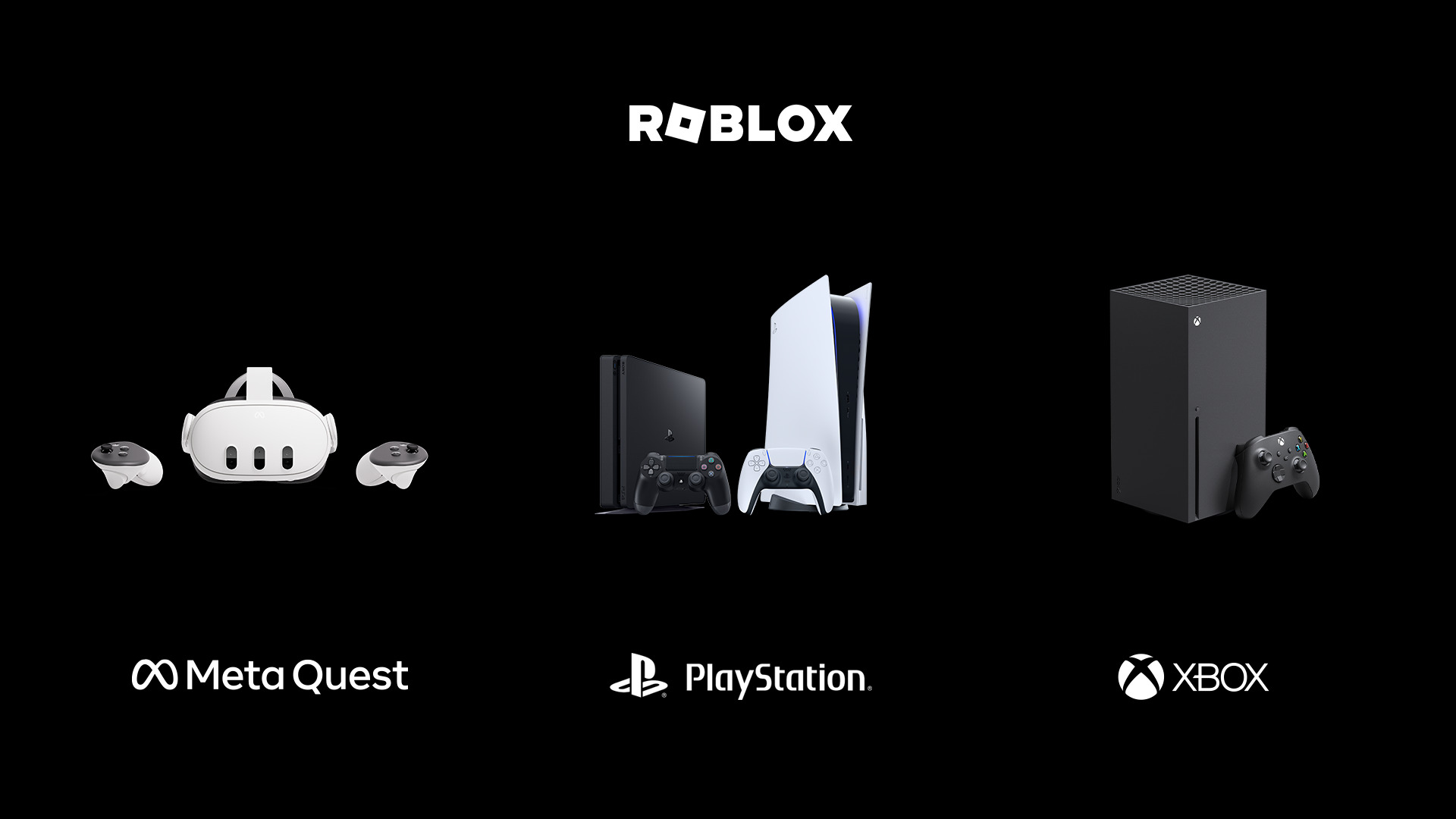


Roblox PS4 PS5 Games PlayStation Australia. Roblox Announced For PS5 PS4 Coming Next Month TechRaptor Roblox Running On Playstation 5 . How Can You Play Roblox On PS5 PS4 Roblox PS Quest 09 08 23 . How Can You Play Roblox On PS5 PS4 How Can You Play Roblox On PS5 PS4 1160x559 . How Can You Play Roblox On PS5 PS4


What Time Does Roblox Come Out On Ps5 3D Print Custom Roblox Figure. Can You Play Roblox On PS5 Unveiling And User Experience . Is The PS5 The Best Way To Experience Roblox PS5 Home Is The PS5 The Best Way To Experience Roblox . The Rise Of Roblox PS5 What You Need To Know Roblox Ps5 780x470 . PlayStation 5 Roblox H Ng D N Nh Gi V M O Ch I Game T T Nh T


Playstation 5 Roblox Game Tr I Nghi M V H N V I C C T A Game C S C . ROBLOX PS5 YouTube . Roblox PS5 Gameplay YouTube . Roblox PS5 Gameplay Part 12 YouTube . ROBLOX PS5 GAMEPLAY ONLY YouTube


ROBLOX PS5 Gameplay YouTube . Roblox PS5 Gameplay Part 53 YouTube . Roblox PS5 Gameplay Part 6 YouTube . PS5 Roblox English Live YouTube