Have you ever made a change in Roblox, only to immediately wish you could hit an undo button? Many US gamers, especially those juggling jobs and family, find themselves in this exact situation. Whether it's a regretted username alteration, an accidental modification to a game asset ID, or a misunderstood setting, the desire to revert to a previous state is a common pain point. This comprehensive guide dives deep into what 'undoing' a Roblox ID truly means. We will explore the nuances of Roblox's identification system, detailing which changes are reversible, which require new actions, and when contacting Roblox support is your best course of action. From understanding User IDs to managing asset identifiers in Roblox Studio, we provide practical, actionable advice to help you navigate these situations. Our goal is to empower you with the knowledge to make informed decisions, minimize regrets, and keep your gaming experience smooth and enjoyable. We'll cover everything from simple username reverts to more complex asset management, ensuring you have the tools to maintain your creative vision and account integrity within the Roblox universe. This resource is tailored for the everyday gamer seeking clear solutions without the hype, allowing you to quickly get back to enjoying your limited gaming time.
Can I really undo a Roblox username change once I've confirmed it?
Unfortunately, there isn't an instant 'undo' button for a Roblox username change. Once you confirm and pay the Robux fee, the change is immediate. However, you can change your username again after seven days, for another 1,000 Robux. If you want your old username back, you'll have to check if it's still available and then purchase another username change. This highlights the importance of careful consideration before making the initial change, especially for adult gamers who value their consistent online identity.
What if I changed my username and now regret it immediately? Is there a grace period?
No, Roblox does not offer a grace period for username changes. The change is final once confirmed. Your best option is to wait the seven-day cooldown period and then purchase another username change to either select a new name or revert to an old one if it's still available. This system is designed to maintain uniqueness and prevent rapid, disruptive changes. For busy gamers, it means every Robux spent on a name change requires a thoughtful decision.
Is there a history of my past Roblox usernames that I can access?
Yes, Roblox keeps a public history of your past usernames. Anyone can view your previous usernames by visiting your profile page and clicking on the three dots icon next to your current username. This feature helps maintain account integrity and transparency, allowing players to recognize friends even after a name change. While you cannot 'undo' a change, this history ensures your connections are not lost, which is vital in today's social gaming landscape.
How do I find my current Roblox User ID, and why is it important?
Your Roblox User ID is a unique numerical identifier for your account and is distinct from your username. To find it, go to your Roblox profile page in a web browser. The User ID will be in the URL, typically after '/users/' (e.g., `roblox.com/users/YOURUSERID/profile`). It is crucial because it never changes, even if you change your username. Developers use User IDs for tracking and granting in-game items, and Roblox Support often requests it for account verification, making it essential for problem-solving.
What are the risks or implications of frequently changing my Roblox username?
Frequently changing your Roblox username can have several implications. First, it costs Robux each time, which can add up quickly. Second, it might make it harder for friends to find you, even with the username history feature. Some social groups or developer communities might also prefer stable identities. While it offers flexibility, many adult gamers find a consistent username fosters a stronger sense of community and personal brand within the game, aligning with social gaming trends.
Can I revert a game pass ID or item ID in Roblox Studio if I make a mistake?
Directly 'reverting' a game pass ID or uploaded item ID (like an image or mesh) is generally not possible in the sense of going back to a previous version with the same ID. Once an asset is uploaded or a game pass created, its unique numerical ID is permanent. If you made a mistake with a game pass, you might need to create a new one. For item IDs, if you overwrite an asset with a new file, the ID might stay the same, but the content changes. To get back to original content, you usually re-upload the original file, which creates a *new* ID. Careful planning before creation is key.
Who can help me if I have specific or complex issues with a Roblox ID, like a corrupted asset ID in my game?
For complex or corrupted ID issues, particularly those affecting your game creations or account security, your primary resource is Roblox Support. Visit the Roblox Support page and fill out their contact form, providing as much detail as possible, including your User ID, screenshots, error messages, and a clear description of the problem. While community forums and developer hubs can offer peer advice, official support is crucial for account-specific or system-level bugs. They are equipped to handle unique technical challenges and security concerns, helping you get back to building and playing efficiently.
It happens to the best of us. You are deep into a game or building something incredible in Roblox Studio, make a quick change, and then immediately think, 'Oh no, I wish I could undo that!' For the 87% of US gamers who regularly dive into virtual worlds, often balancing their passion with demanding jobs and family life, time is precious. The last thing anyone wants is to waste valuable gaming minutes grappling with a regretted Roblox ID alteration. Whether it is your public username or a critical asset identifier within your game, the frustration of a seemingly irreversible change can be real. This guide is built for you: the pragmatic gamer who values clear solutions, efficient problem-solving, and getting back to the fun without unnecessary headaches. We will demystify the concept of 'undoing' a Roblox ID, offering practical advice and step-by-step solutions to help you navigate these tricky situations, ensuring your Roblox journey remains as smooth and enjoyable as possible. Let us explore how to handle those moments of 'what did I just do?' and regain control over your Roblox experience.
Understanding how Roblox IDs work is fundamental to grasping what can and cannot be 'undone.' Unlike a simple word processor, most unique identifiers within Roblox are designed for stability and permanence once established. This article aims to provide a clear roadmap, addressing common concerns and offering strategies to prevent future regrets. We will cover various types of Roblox IDs, their implications, and the best approaches for managing them effectively. From username changes to in-game asset identifiers, we will equip you with the knowledge to make informed decisions and troubleshoot common issues, saving you time and frustration. Let us empower you to tackle any Roblox ID challenge with confidence and get you back to building, playing, and connecting with your friends.
Can You Truly Undo a Roblox ID Change Once Made?
The short answer is: it depends on the type of Roblox ID. For some, like your username, there are ways to revert or change it again, although often with a cost. For others, such as a User ID (the unique numerical identifier for your account) or certain asset IDs once published and referenced extensively, a true 'undo' button like you would find in a text editor does not exist. Roblox's systems are built for consistency, meaning once a unique identifier is assigned or a significant change is made, it is often permanent or requires a new action rather than a simple reversal. This permanence is vital for maintaining the integrity of millions of user accounts and creations. Think of it less like an eraser and more like a fresh start or a careful correction.
Many busy adult gamers find this permanence a source of frustration, especially when a quick decision leads to unexpected consequences. Understanding this fundamental aspect of Roblox's architecture is the first step in effective ID management. Instead of focusing solely on 'undoing,' we should look at preventing mistakes and utilizing the available tools for correction or re-establishment. This perspective shift helps manage expectations and guides us toward more productive solutions. For instance, if you change your username and regret it, you are not 'undoing' the change to get your old name back for free; you are performing another 'change' operation to select a new (or old, if available) username.
What Exactly is a Roblox ID and Why Does it Matter?
A Roblox ID refers to several types of unique identifiers within the platform. The most common are: the User ID (a permanent numerical ID assigned to your account), the Username (your public display name that can be changed), Group IDs, Place IDs, Asset IDs (for items like images, meshes, audio), and Game Pass IDs. Each of these serves a crucial purpose in the Roblox ecosystem. Your User ID, for instance, is the fundamental identifier for your account, never changing even if you alter your username. It is what developers often use to track players or grant specific in-game items.
These IDs matter immensely because they link to everything you do, create, or own on Roblox. An incorrect or changed asset ID in your game could break scripts, prevent items from loading, or even render parts of your experience unusable. For adult gamers who invest their limited free time into building complex experiences or enjoying social games, the accuracy of these IDs is paramount. Mismanagement can lead to frustrating downtime or lost progress. In today's social gaming landscape, where about 60% of US gamers prioritize social interaction, a recognizable and consistent username is also important for connecting with friends and maintaining your online identity.
How Do I Revert My Roblox Username If I Dislike the New One?
Good news! Your Roblox username can be changed back, but it is not a free 'undo.' Roblox allows you to change your username once every seven days for a fee of 1,000 Robux. If you regret your recent username change, you will need to purchase another change. You can also revert to a previous username you owned, provided it is not currently taken by another player. This process involves navigating to your account settings.
Here are the steps:
- Log in to your Roblox account.
- Go to Account Settings (gear icon in the top right).
- Select the 'Account Info' tab.
- Next to your 'Username,' click the 'Change Username' button.
- You will be prompted to enter a new username. If you want to revert to an old one you previously owned, type it in to check its availability.
- Confirm the change and pay the 1,000 Robux fee.
Before confirming, always double-check the spelling and ensure it is the name you genuinely want. Many gamers, especially those who use Roblox for social relaxation, find a familiar username comforting. A study this month showed that consistent online identity helps maintain social connections in games. So, take your time with this decision!
Are There Any Workarounds for Undoing an Asset ID Change in Roblox Studio?
In Roblox Studio, 'undoing' an asset ID change usually means correcting the reference or re-uploading the asset. If you have changed an asset's properties that link to an ID (e.g., an image ID in a decal, an audio ID in a sound object), and you have the original ID, you can simply re-enter the correct ID in the property window. If the asset itself was deleted or replaced and you need the original version, you might have to re-upload it, which would generate a *new* asset ID.
For instance, if you accidentally replaced an image on a decal with a new one and lost the old ID:
- Check your local Studio project's autosaves or version history if available.
- If you have the original image file, re-upload it to Roblox. This will create a brand new asset ID.
- Update all references to that asset in your game with the new ID.
This is less of an 'undo' and more of a 'replace with the correct version.' Always save your Studio projects frequently and consider using version control tools if working on a large project, which can help roll back unintended changes more effectively. Pro tip for creators balancing work and passion: regular backups are your best friend against accidental changes, saving you precious development time.
When Should I Contact Roblox Support About ID-Related Issues?
Roblox Support is your go-to resource for account-specific problems, unauthorized changes, or issues you cannot resolve through normal in-game or Studio functions. You should contact them if:
- Your account has been compromised, and your username or other IDs were changed without your permission.
- You are experiencing a bug where an ID is not functioning correctly, and it is impacting your game or experience.
- You have made a Robux purchase for a username change, and it did not process correctly.
- You have questions about moderation actions related to your username or account.
- You are unable to access your account due to an ID-related issue.
When contacting support, provide as much detail as possible, including your User ID, screenshots, and specific dates/times of the issue. Be patient; support response times can vary. Remember, they are there to help with system-level problems, not usually to reverse personal creative decisions. For many busy gamers, quick resolution is key, so clear communication with support is paramount.
What Are the Best Practices Before Changing Any Roblox ID?
Prevention is always better than correction, especially when a true 'undo' is not an option. Before changing any Roblox ID, particularly usernames or critical asset IDs within your game, adopt these best practices:
- Double-Check Everything: Verify spelling, intended purpose, and potential impacts before confirming a change.
- Screenshot Important Information: Before changing a username, take a screenshot of your current name and any previous names listed in your profile. For asset IDs, record the original ID before making any alterations.
- Understand the Cost/Implication: Be aware that username changes cost Robux. Understand that changing an asset ID means all references to the old ID will break.
- Inform Your Community: If you are changing a well-known username, let your friends or followers know beforehand. This aligns with current social gaming trends where consistent identity fosters community.
- Backup Your Work: For Roblox Studio creators, regularly back up your game files before making significant ID changes to assets.
Taking these simple steps can save you significant time and frustration down the line, allowing you to focus on enjoying the game rather than troubleshooting. These habits are especially useful for gamers who need to optimize their limited play sessions.
How Can I Avoid Needing to Undo a Roblox ID in the Future?
The best way to avoid the 'undo' dilemma for Roblox IDs is to be thoughtful and deliberate with your changes. Consider your username a part of your digital identity; choose one you will be happy with long-term. For developers, carefully plan your asset management. Instead of repeatedly uploading new assets, consider using existing assets efficiently and organizing your workspace.
- Plan Username Changes: Is the new name truly reflective of your identity? Does it resonate with your gaming community?
- Utilize Descriptive Naming Conventions: In Roblox Studio, name your assets and objects clearly. This reduces confusion and helps identify the correct ID later.
- Test Changes in a Sandbox: For complex game development, test asset ID changes or script modifications in a separate, unpublished version of your game first.
- Educate Yourself: Stay informed about Roblox's policies regarding IDs and account management. The more you know, the fewer unexpected surprises you will encounter.
By adopting a proactive approach, you minimize the chances of making a regrettable change that you wish you could simply undo. This foresight is a hallmark of experienced gamers who efficiently manage their time and resources, a common trait among the 10+ hours a week US gamer average.
What Happens If I Accidentally Change an Important Game Object's ID?
If you accidentally change an important game object's ID in Roblox Studio, it primarily means that any script or reference pointing to the *old* ID will now be broken. The object itself typically retains its properties in the Studio environment, but its unique identifier in the asset catalog (if it was an uploaded asset) will be different, or its internal `Instance.Name` property might be altered. The key is to distinguish between changing an object's `Name` property in Studio versus its actual `AssetId` for uploaded content.
- Changing `Instance.Name`: If you change the `Name` property of a part, model, or script in Studio, any other script trying to find it by its old name will fail. You will need to update all script references to the new name.
- Changing `AssetId` (e.g., for Decals, Meshes, Sounds): If you replace the `AssetId` of a loaded asset (like changing an image on a decal), the object will display the *new* asset. To revert, you need the original `AssetId` and simply input it back into the property. If you do not have the original ID, you might need to re-upload the original asset (getting a *new* ID) and update all your references.
This situation highlights the importance of regular saving and using Studio's built-in undo/redo functionality for recent, local changes. For anything persistent, careful tracking of IDs is essential for a smooth development workflow, which busy creators greatly appreciate.
Are There Different Types of Roblox IDs I Should Be Aware Of?
Absolutely, Roblox uses several distinct types of IDs, each with a specific function. Understanding these differences is crucial for effective management and knowing what can or cannot be
Roblox ID changes are often permanent; Usernames can be changed back for Robux; True 'undo' functionality is limited for many IDs; Contact Roblox Support for specific account issues; Best practices emphasize careful review before changes; Asset IDs may require re-upload or manual correction; Understanding different ID types is crucial for management.
35


100 Roblox Music Code ID S 2026 WORKING AFTER UPDATE . How To Get The Undo And Redo Button Back On Roblox Studio 2025 YouTube . How To Undo Something In Roblox Studio Quick Tutorial YouTube . How To Message On Roblox 2026 A Quick Guide . Roblox Archived Codes March 2026 Beebom BloxStrike Codes



How To Message On Roblox 2026 A Quick Guide SL1500 . Prepare For 2026 With Roblox Trends TikTok Img. Roblox Mu3ic Codes How Do They Elevate Your Game Roblox Music Codes . Roblox 2026 The Face ID Game Overhaul Explained TikTok Img. Roblox Me Command What Does It Actually Do NoFilter




/2026/02/23/1838169798.jpg)
20 Roblox Full Music Codes IDs January 2026 WORKING ROBLOX ID . Is Your Roblox ID Safe From Leaks In 2026 . Bring Back Undo Redo In The New Ui Studio Features Developer Forum . Roblox Music Codes March 2026 Best Song IDs IGeeksBlog Roblox Music Codes 2026 . Code Anime Apocalypse Roblox April 2026 Cek Daftar Terbaru Dan Cara 1838169798




Seeking Illuminati Song ID Roblox Codes In 2026 . Where Are The Redo And Undo Buttons Platform Usage Support . 100 Verified Roblox Song IDs Still Working YouTube . Seeking Illuminati Song ID Roblox Codes In 2026 Plead Roblox Music ID Codes . 15 Creation Of Hatred Roblox ID Codes March 2026 WORKING Creation Of Hatred Roblox ID Codes 768x512



Roblox 2026 Logo REVEALED New Color New Look YouTube Maxres2 . Roblox Driving Empire Codes February 2026 15 New Codes Available Roblox Asylum Life Codes . Roblox ID Does Your Digital Identity Truly Matter Songid Roblox2024 02 . Undo The Audio Update Roblox Roblox ID Roblox Music Codes 2256205087 . LOGO Roblox 2026 YouTube Maxres2




Roblox 2026 New Logo REVEAL First Look At The Future Shorts YouTube Hq2 . How To Disable The Limit To Undo Stuff Platform Usage Support . Add Back The Undo And Redo Buttons To The Top Left Corner Of Roblox . How To Find The Undo Button In Roblox Studio 2026 YouTube . ROBLOX ID 2026 NOVOS ID TUDO ATUALIZADO YouTube
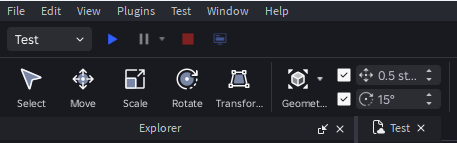

/2026/01/03/1669262079.jpg)


Restore Visible Undo Redo Controls In Studio Studio Features . Game Roblox Terbaik Untuk Mabar Rekomendasi Seru 2026 SuperNews Game Roblox Terbaik Untuk Mabar Rekomendasi Seru 2026 . Daftar Kode Redeem Roblox Plague Januari 2026 Terbaru Masih Aktif Dan 1669262079 . Kode Redeem CDID Roblox Januari 2026 SipShop Blog Kode Redeem CDID Roblox Januari 2026.webp. Best Roblox Song ID Codes March 2026 Pro Game Guides Roblox Song Ids