Navigating the expansive world of Roblox while ensuring your account's safety and optimal performance can feel like another full-time job for many busy US gamers. This guide will walk you through what 'Roblox scan' truly means in today's digital landscape, covering everything from crucial security checks to performance-boosting tips. We understand that as an adult gamer balancing work, family, and life, your gaming time is precious. You want to relax and have fun, not battle malware or lag. Discover practical, actionable steps to safeguard your account, identify potential threats, and fine-tune your Roblox experience without the hype. Learn how to identify suspicious activity, protect your personal data, and ensure smooth gameplay so you can focus on building skills and connecting with friends. This article provides straightforward advice to keep your Roblox adventures secure and enjoyable for everyone in the family, reflecting current gaming trends and best practices for 2026. Explore how to proactively manage your digital environment and stay current with minimal effort.
What is a Roblox scan?
A 'Roblox scan' refers to the comprehensive process of checking your Roblox account, device, and settings for security vulnerabilities, performance issues, and potential threats. It is not a single tool but a collection of best practices to ensure a safe and optimal gaming experience, covering everything from password checks to system-wide malware scans.
How do I scan my Roblox account for issues?
To scan your Roblox account for issues, first, review your login history in your account settings for unfamiliar access. Enable Two-Step Verification (2SV), update your password regularly, and check privacy settings. Additionally, keep an eye on your Robux balance and inventory for any unauthorized changes. For device-related issues, perform a full system scan with reputable antivirus software.
Are there any Roblox virus scanners?
No, Roblox does not offer an official, dedicated 'virus scanner' for its platform. Any third-party software claiming to be a 'Roblox virus scanner' should be treated with extreme suspicion as it is likely a scam. Instead, rely on trusted antivirus software to scan your entire computer for malware that might indirectly affect Roblox, and use Roblox's built-in security features.
Why is my Roblox game lagging?
Roblox games can lag due to several factors, including high graphics settings in-game, a slow or unstable internet connection, too many background applications running on your device, outdated graphics drivers, or insufficient system resources. Regularly checking these areas forms a 'performance scan' that can help identify and resolve the root cause of the lag.
How to check Roblox privacy settings?
To check Roblox privacy settings, navigate to the 'Privacy' tab within your account settings on the Roblox website. Here you can adjust who can chat with you, send messages, and make friend requests. For parental controls, you can set an account PIN to prevent unauthorized changes to these crucial safety configurations.
What exactly is a "Roblox Scan" in the context of modern gaming?
In modern gaming, a "Roblox Scan" is less about a single tool and more about a strategic approach to maintaining digital hygiene. It encompasses security checks, performance diagnostics, and privacy reviews. For busy gamers, it means ensuring your account is safe from phishing, your device is free from malware impacting gameplay, and your in-game experience is smooth and enjoyable. It is about proactively addressing potential issues to protect your playtime and digital assets in an era of prevalent online threats.
How can I perform a quick security check or "scan" on my Roblox account?
For a quick security "Roblox scan," start by logging into your account on the official Roblox website and reviewing your 'Security' settings. Look at your login history for any unfamiliar activity. Ensure Two-Step Verification (2SV) is enabled. If you have not changed your password in a while, create a strong, unique one immediately. These steps are your frontline defense against unauthorized access and keep your account secure without requiring extensive technical knowledge.
Are third-party "Roblox scan" tools safe to use, and which ones should I trust?
Most third-party "Roblox scan" tools promising free Robux, exploits, or direct game scanning are unsafe and often malicious, designed to steal your credentials. You should generally avoid them. Instead, trust reputable, system-wide cybersecurity software like established antivirus programs (e.g., Malwarebytes, Windows Defender) to scan your entire device for malware that could affect Roblox. Stick to official Roblox features for in-platform security checks and performance adjustments.
What are the key signs that my Roblox experience needs a performance "scan"?
Your Roblox experience needs a performance "scan" if you encounter frequent lag, low frame rates, unexpected game crashes, or unusually long loading times. Other signs include textures failing to load correctly or your device overheating during gameplay. These indicate that your system resources might be strained, or there could be underlying software or hardware issues impacting your Roblox performance, requiring investigation.
How do I protect my child's Roblox account with a regular "scan" for inappropriate content or interactions?
To protect your child's Roblox account, regularly perform a "scan" by reviewing their privacy settings and ensuring strong parental controls are enabled with a PIN. Monitor their friend list for unfamiliar contacts and discuss online safety, emphasizing not sharing personal information. Utilize Roblox's in-game 'Report Abuse' feature for any suspicious content or interactions, and consider open communication about their online experiences as your most effective tool.
Beyond security, how can a "Roblox scan" help me optimize my gameplay experience?
Beyond security, a "Roblox scan" helps optimize gameplay by identifying and addressing performance bottlenecks. This involves adjusting in-game graphics settings, ensuring your device's operating system and drivers are updated, clearing cache files, and closing unnecessary background applications. By streamlining your system and Roblox settings, you can achieve smoother frame rates, faster loading times, and a more responsive, enjoyable gaming session, crucial for competitive play or casual relaxation.
What steps should I take if a "Roblox scan" reveals potential issues or threats?
If your "Roblox scan" reveals potential issues, act swiftly. For security threats like suspicious logins, immediately change your password, enable 2SV, and report it to Roblox Support. If malware is suspected on your device, run a full system scan with trusted antivirus software and quarantine/remove threats. For performance issues, adjust graphics settings, update drivers, and free up system resources. Timely intervention can prevent minor issues from escalating into major problems.
For many of us who love to unwind with a good game after a long day, platforms like Roblox offer an incredible escape. It is not just for kids anymore; nearly 60% of US gamers, with an average age of 36, regularly dive into its diverse experiences. Yet, balancing work, family, and that precious gaming time means we want our digital playgrounds to be safe, fun, and hassle-free. Nothing sours the relaxation faster than account security worries, unexpected lag, or the fear of a digital threat.
This is where the idea of a 'Roblox scan' becomes critical. It is not about a single button you press; it is a comprehensive approach to ensuring your Roblox account, your device, and your family's experience remain secure and perform optimally. With 87% of gamers regularly playing over 10 hours a week and mobile gaming dominating, maintaining a smooth and safe environment is paramount. We will cut through the noise, offering practical, no-nonsense solutions to common pain points, from setup issues to performance problems, all without the corporate jargon or hype. Let us empower you to protect your digital space and get back to what you love: playing.
What Exactly Does 'Roblox Scan' Mean for Today's Gamer?
In 2026, 'Roblox scan' is a broad term encompassing several proactive measures you take to ensure the health and security of your Roblox experience. It is not a singular software utility, but rather a mindset of vigilance. Think of it as a digital wellness check. This involves checking your account for suspicious activity, ensuring your device is free from malware that could impact Roblox, reviewing privacy settings, and even optimizing game performance. It is about being an informed digital citizen, especially since social gaming is a major trend, often involving in-game purchases and interactions across various platforms like Discord. A true 'scan' helps you avoid common pitfalls and keep your gaming sessions pure fun.
Why Should Busy Adult Gamers Care About Scanning Roblox?
As adult gamers, our time is a precious commodity. We value relaxation, skill-building, and social connection. The last thing we need is for our limited gaming hours to be disrupted by account compromise, frustrating lag, or digital threats. A proactive 'Roblox scan' strategy saves you headaches in the long run. It protects your hard-earned progress, your in-game purchases, and your personal data. Moreover, if you have children who play, understanding how to 'scan' for safety ensures their online environment is secure, giving you peace of mind. Given current trends where free-to-play games often involve creator influence and microtransactions, understanding platform integrity is more crucial than ever.
How Can I Perform a Basic Security "Roblox Scan" on My Account?
Performing a basic security 'Roblox scan' on your account is straightforward and crucial for preventing issues. Start by regularly reviewing your login history on the Roblox website under 'Security.' Look for any unrecognized access times or locations. Enable Two-Step Verification (2SV) immediately if you have not already; this adds a vital layer of protection. Periodically change your password to a strong, unique one that combines letters, numbers, and symbols. Also, check your connected devices and revoke access for any you no longer use or recognize. These simple steps are your first line of defense against account compromise, reflecting best practices for online safety in 2026.
Are There Official Roblox Tools to "Scan" for Issues or Performance?
While Roblox does not provide a single 'scan' button or dedicated anti-malware tool, it offers several built-in features and guidelines that act as part of your overall 'Roblox scan' strategy. For security, the 'Security' settings on the website provide login history and 2SV management. For performance, Roblox's client settings allow you to adjust graphics quality, which can significantly impact frame rates on less powerful hardware. Keep your Roblox client updated, as updates often include performance enhancements and security patches. Roblox also has robust reporting tools for inappropriate content or suspicious users, which is essential for maintaining a healthy social environment. Staying informed through the official Roblox blog and support pages is also a key part of leveraging their resources.
What Third-Party Tools Are Safe for a "Roblox Scan" and What Should I Avoid?
When it comes to third-party tools for a 'Roblox scan,' extreme caution is advised. Most 'Roblox scanners' or 'Robux generators' found online are scams designed to steal your account information. Always be skeptical of software claiming to offer free Robux or exploit Roblox. Instead, focus on reputable system-wide tools. Use a trusted antivirus program (like Malwarebytes, Avast, or Windows Defender) to regularly scan your *entire computer* for malware, which could indirectly affect Roblox performance or security. Ensure your web browser is up-to-date and use browser extensions like ad blockers from trusted sources. Never download executable files (EXEs) or browser extensions that promise to 'hack' Roblox or offer in-game advantages, as these are almost always malicious. Stick to official sources and well-established security software.
How Do I Optimize Roblox Performance After a 'Scan' Reveals Slowdowns?
If your 'Roblox scan' (i.e., your observation) reveals slowdowns or lag, there are several steps you can take to optimize performance. First, reduce in-game graphics settings through the Roblox client. Lowering the 'Graphics Quality' can dramatically improve frame rates, especially if you are playing on an older PC or a mobile device, which is increasingly common. Close unnecessary background applications on your computer or mobile device to free up RAM and CPU cycles. Ensure your internet connection is stable and fast; a wired connection is always better for PC gaming. Clear your browser's cache and cookies regularly. For PC users, ensure your graphics drivers are updated to the latest version. These adjustments can often resolve common performance issues, letting you enjoy your favorite games without frustrating interruptions.
Protecting Younger Players: The "Roblox Scan" for Parental Peace of Mind.
For parents, a 'Roblox scan' often focuses on ensuring a safe environment for children. Roblox offers robust parental controls accessible through the 'Privacy' section of your account settings. You can restrict who your child can chat with, who can send them messages, and even set an account PIN to prevent unauthorized changes to these settings. Regularly review your child's friend list and discuss online safety, emphasizing never sharing personal information. Teach them about reporting suspicious behavior directly through Roblox's tools. Consider using parental monitoring software on your home network or devices, but always prioritize open communication with your child about their online interactions. Staying current with privacy features and discussing online etiquette are critical components of this ongoing 'scan' for safety.
What Are the Signs That My Roblox Account Needs an Urgent "Scan" for Compromise?
Recognizing the signs of account compromise is key to a timely 'Roblox scan.' If you notice unusual activity like Robux missing, items disappearing from your inventory, unprompted friend requests or messages sent from your account, or difficulty logging in despite using the correct password, these are red flags. Another major sign is receiving password reset emails you did not request. If you experience any of these, immediately change your password, enable Two-Step Verification, and run a full system scan on your device with reputable antivirus software. Report the issue to Roblox Support as soon as possible. Swift action can often prevent further damage and help recover your account.
Balancing Gaming & Security: How Often Should I "Scan" My Roblox Setup?
Finding the right balance between enjoying your games and maintaining security is crucial for the average gamer. A comprehensive 'Roblox scan' does not need to be a daily chore. For routine checks, aim for a monthly review of your account's login history and privacy settings. Change your password every 3-6 months. Keep your device's operating system and antivirus software updated automatically, as these provide continuous background 'scans.' For performance, a quick check of in-game settings before a session, or clearing caches once a month, is usually sufficient. However, if you notice any unusual behavior, suspicious messages, or performance dips, then an immediate, targeted 'scan' is warranted. It is about consistent vigilance rather than exhaustive, infrequent deep dives.
FAQ Section
Is Roblox itself safe?
Yes, Roblox Corporation invests heavily in security measures to protect its platform and users. However, like any online platform, user vigilance against scams, phishing, and inappropriate content is also necessary.
Can Roblox games contain viruses?
Actual executable viruses are highly unlikely within Roblox games themselves because games run within Roblox's sandboxed environment. However, some malicious game content might try to trick users into downloading external files or visiting scam websites, which could contain malware.
What is a phishing scam on Roblox?
A phishing scam on Roblox involves deceptive messages or websites designed to trick you into revealing your login credentials or personal information, often by pretending to be Roblox or offering free Robux or exclusive items.
How do I report suspicious activity or inappropriate content on Roblox?
You can report suspicious activity or inappropriate content directly within Roblox games or on the website using the 'Report Abuse' feature. This sends details to Roblox moderators for review and action.
How can I tell if a free Robux offer is a scam?
Any offer for 'free Robux' outside of official Roblox promotions or legitimate gift card purchases is almost certainly a scam. Roblox does not give away Robux through third-party websites or tools.
What should I do if my Roblox account is hacked?
If your account is hacked, immediately change your Roblox password, enable 2SV, and run a full antivirus scan on your device. Then, contact Roblox Support with all relevant details to help recover your account.
The digital world of Roblox offers endless entertainment, but staying safe and ensuring smooth performance is an ongoing journey. By adopting a proactive 'Roblox scan' approach, you are not just protecting your account; you are safeguarding your precious gaming time and peace of mind. Remember, vigilance is your best tool against online threats and performance hiccups. So, take these tips, apply them, and get back to exploring, creating, and connecting without worry. What is your biggest Roblox gaming challenge? Comment below!
Understand Roblox scan for security and performance. Learn to identify threats and optimize gameplay. Safeguard accounts from scams. Utilize official and trusted third-party tools. Maintain balance between gaming and digital safety. Protect younger players with effective parental controls.
35


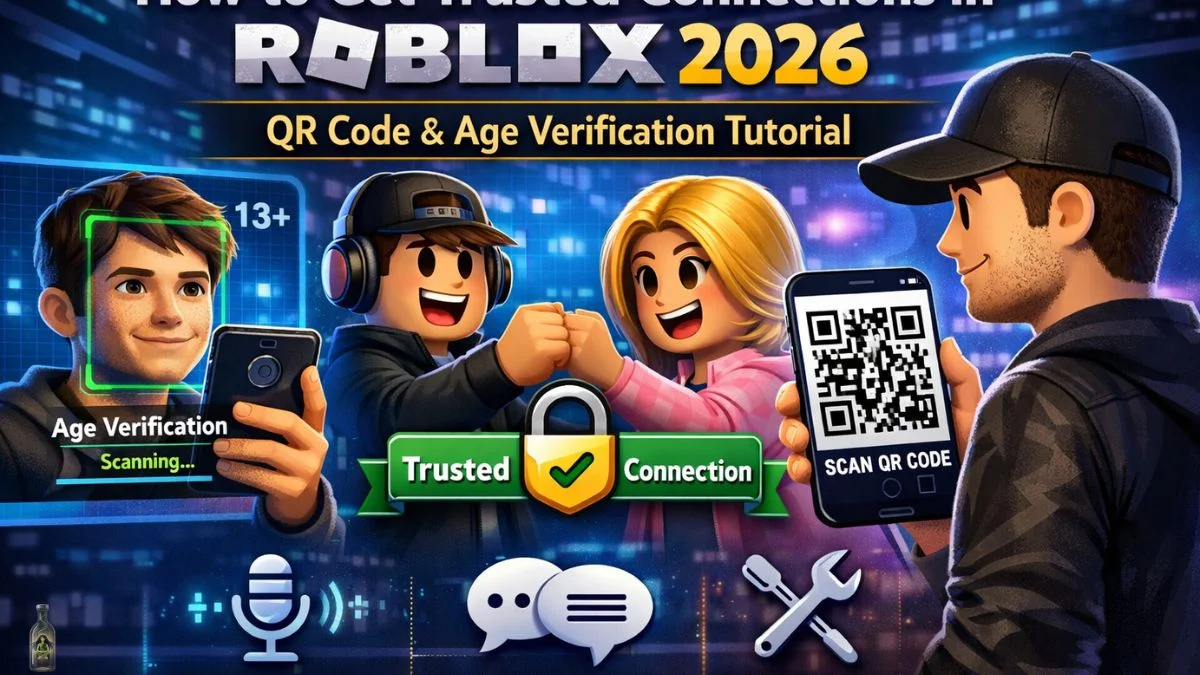

100 Unofficial Roblox Annual 2026 Brand New For 2025 The Iconic SL1500 . The Definitive Guide To Roblox 2026 PBR Books Amazon Ca SY445 SX342 ML2 . The Definitive Guide To Roblox Annual 2026 Phillips Toys 61HEet5s7ML 1445x . How To Get Trusted Connections In Roblox 2026 Full Tutorial Roblox Trusted. Parents Are Alarmed By The New Roblox Face Scan Update Here S What S Screenshot 2026 01 08 At 11.12.01 AM




Roblox 2026 Logo REVEALED New Color New Look YouTube Maxres2 . ROBLOX IN 2026 YouTube Hqdefault . Roblox S New Update Just Went TOO FAR Face Scan In 2026 YouTube Oardefault . HOW TO SCAN QR CODE IN ROBLOX 2026 FULL GUIDE YouTube . Roblox 2026 YouTube Oar2


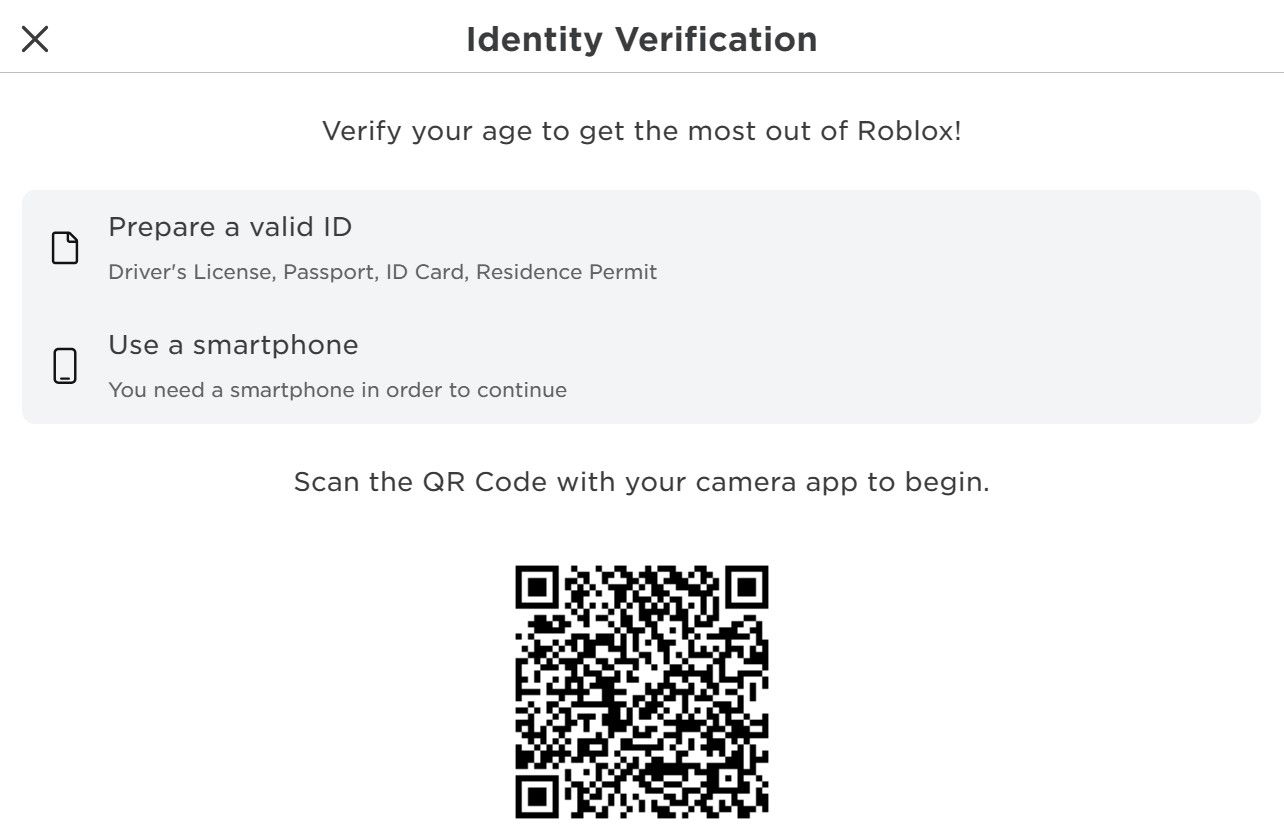

The Roblox Facial Recognition Scandal Explained Roblox Facial Recognition . Roblox At GDC 2026 Where To Find Us All Week Roblox. WOW The 2026 Roblox Logo Shocks All Players YouTube Maxres2 . Unlocking Roblox Features Is Identity Needed Scan The Qr Code In The Identity Window On Roblox S Website . Roblox 2026 NEW LOOK The Biggest Update Ever YouTube Maxres2


ROBLOX EM 2026 VAI MUDAR TUDO YouTube . Roblox 2026 YouTube Oar2 . How To Publish A Game On Roblox In 2026 Roblox YouTube . Roblox 2026 New Logo REVEAL First Look At The Future Shorts YouTube Hq2 . Roblox 2026 Logo Evolve YouTube Oardefault





A Roblox Movie 2026 Teaser Trailer YouTube . LOGO Roblox 2026 YouTube Maxres2 . Roblox In 2026 Play On Roblox NoFilter. Roblox 2026 Ai Face Scan Roblox 2026 Foryou Splatoon3 Maxres2 . Roblox 2026 YouTube Oar2


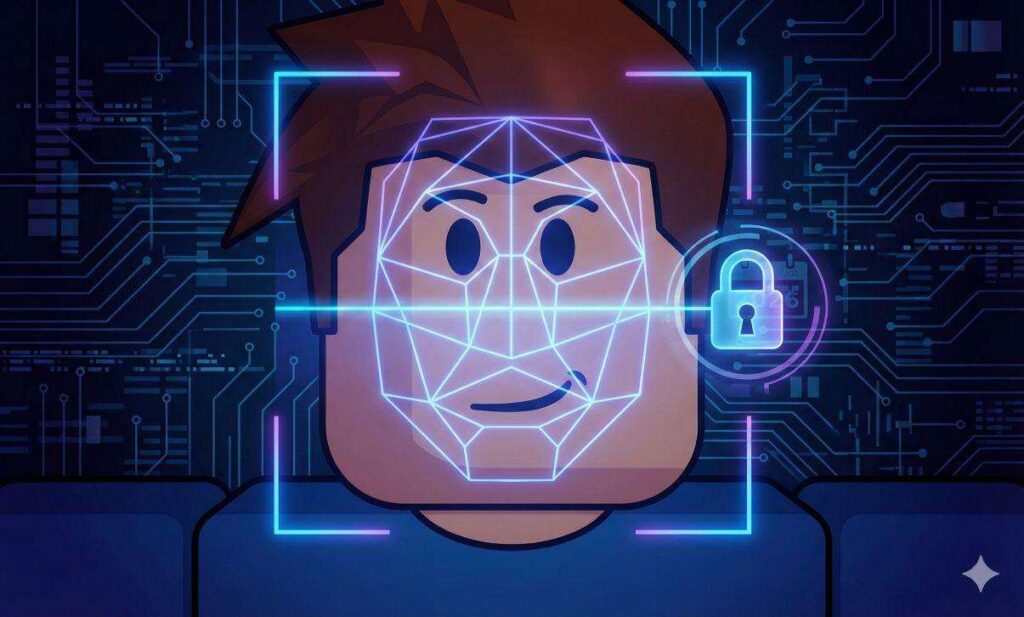

Rant Roblox 2026 New Update Looks Like There Is A New Roblox Update Media. Roblox 2026 Ai Face Scan Roblox 2026 Foryou Splatoon3 Oar2 . Roblox Impone Scanner Facciale Da Gennaio 2026 Roblox Scanner Facciale Verifica Eta Minori Gennaio 2026 1024x617 . Roblox Wajibkan Verifikasi Wajah Mulai 2026 Aturan Baru Demi Keamanan En Age Check Flow 1 . Roblox Mandates Facial Scan Age For Child Safety In 2026 Article 5782 1767813657



Roblox 2026 Logo Roblox YouTube Oar2 . Roblox 2026 Logo Roblox YouTube Oar2 . 100 Unofficial Roblox Annual 2026 SL1000 1024x . 2026 Roblox YouTube Oar2 . Roblox S New Update Just Went TOO FAR Face Scan In 2026 YouTube