Ever wonder why your games stutter or look blurry despite a powerful graphics card VRAM or Video Random Access Memory is often the silent hero or villain behind your gaming experience This comprehensive guide dives deep into how VRAM affects gaming performance visual fidelity and overall enjoyment for busy US gamers balancing life and play We will explore what VRAM is why its crucial for modern titles and how much you truly need for smooth immersive gameplay in 2026 and beyond Whether youre playing demanding AAA blockbusters enjoying casual social games or even dipping into VR understanding VRAM is key to optimizing your setup and getting the best value for your hard earned money without unnecessary hype Discover practical tips for checking your current VRAM usage identifying bottlenecks and making smart upgrade decisions so you can spend less time troubleshooting and more time conquering virtual worlds or just unwinding after a long day.
What is the primary function of VRAM in gaming?
The primary function of VRAM Video Random Access Memory in gaming is to store all the graphical data your graphics card needs to render images on your screen This includes textures models frame buffers and other visual assets that must be accessed at extremely high speeds for smooth fluid gameplay.
Why is VRAM capacity becoming more critical for modern games?
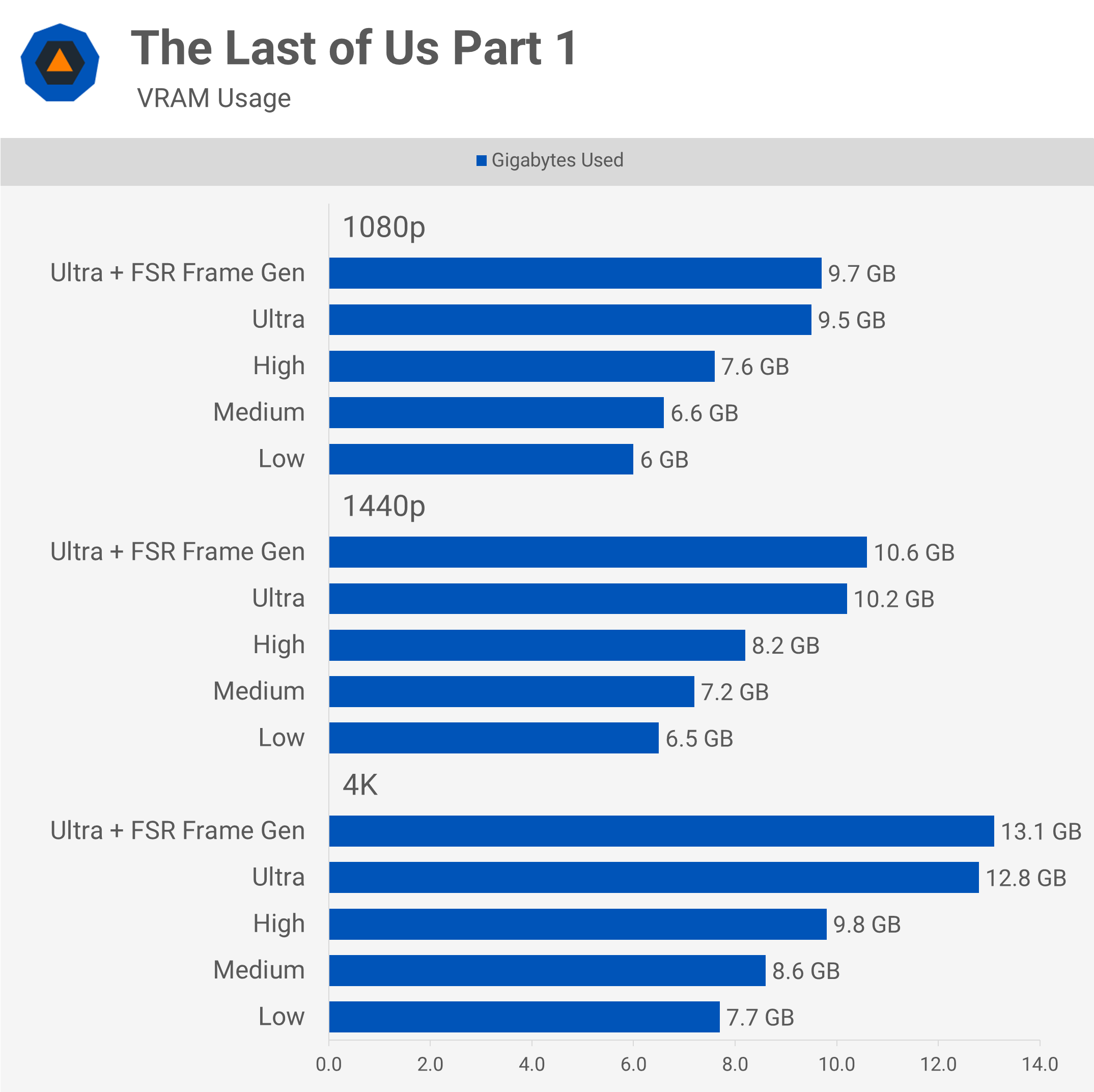
VRAM capacity is becoming more critical for modern games due to increasing graphical fidelity higher resolutions 1440p 4K and the widespread adoption of technologies like ray tracing These advancements demand larger more detailed textures and complex scene data which all require significant VRAM to store and process efficiently.
What are common signs of insufficient VRAM during gameplay?
Common signs of insufficient VRAM during gameplay include noticeable stuttering inconsistent frame rates texture pop-in where textures load slowly or appear blurry and overall performance degradation You might also experience longer loading times or even game crashes during graphically intensive moments.
How much VRAM is recommended for 1440p gaming in 2026?
For smooth 1440p gaming at high to ultra settings in 2026 a graphics card with 10GB to 12GB of VRAM is generally recommended This capacity allows for crisp visuals and stable frame rates across most demanding titles without encountering VRAM bottlenecks.
Can adjusting game settings help with VRAM limitations?
Yes adjusting game settings can significantly help with VRAM limitations Lowering settings like texture quality anti-aliasing shadow quality and resolution will reduce the amount of data your GPU needs to store in VRAM potentially alleviating bottlenecks and improving performance.
Will VRAM affect my experience in competitive esports titles?
While esports titles often prioritize high frame rates over ultra-high fidelity VRAM still plays a role If you're running at high refresh rates or higher resolutions for competitive advantage ensuring sufficient VRAM prevents stutters and ensures consistent frame delivery crucial for responsiveness in games where every millisecond counts.
Is it possible to monitor VRAM usage in real-time while gaming?
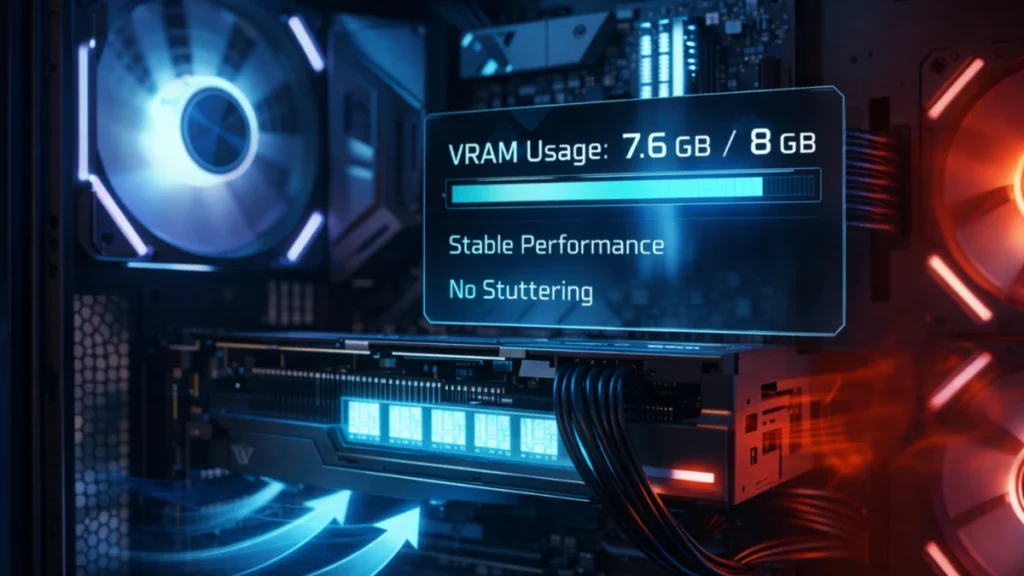
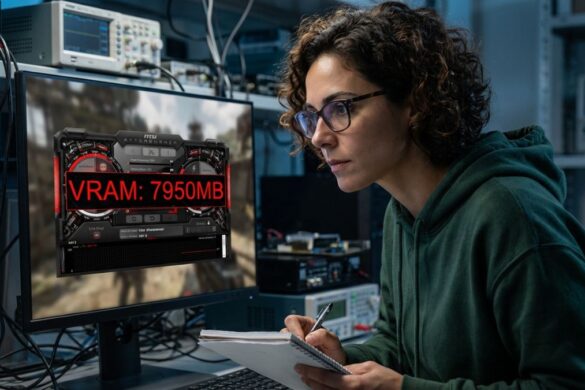
Yes it's definitely possible to monitor VRAM usage in real-time while gaming Tools like MSI Afterburner GPU-Z or even your Windows Task Manager Performance tab can display current dedicated GPU memory usage These overlays help you identify if VRAM is a bottleneck in specific games or settings.
Hey fellow gamers Ever fired up a brand-new title only to be met with frustrating stutters blurry textures or slow loading times despite having what you thought was a decent gaming rig Youre not alone. In 2026 with games pushing graphical boundaries more than ever many of us who balance work family and life often find ourselves scratching our heads when performance doesnt match our expectations. We just want to unwind have some fun build some skills with friends or escape into a compelling story without technical headaches. A common but often misunderstood culprit behind these issues is VRAM or Video Random Access Memory. Understanding how VRAM affects gaming is critical to optimizing your experience and ensuring your hard-earned gaming budget is well spent.
You see VRAM isnt just a number on your graphics card spec sheet It's the dedicated high-speed memory that your GPU uses to store all the visual data needed for your games from intricate character models and sprawling environmental textures to real-time lighting effects and anti-aliasing. Think of it as your graphics cards short-term memory If it doesnt have enough space to hold all the necessary visual assets things get slow clunky and downright ugly. This guide is designed for busy gamers like us who value straightforward answers practical advice and smart spending. We'll cut through the jargon explain exactly what VRAM does and equip you with the knowledge to make informed decisions about your gaming setup so you can enjoy every precious gaming moment to its fullest. Let's dive in and demystify VRAM.
What Exactly is VRAM and Why Does it Matter for Gamers
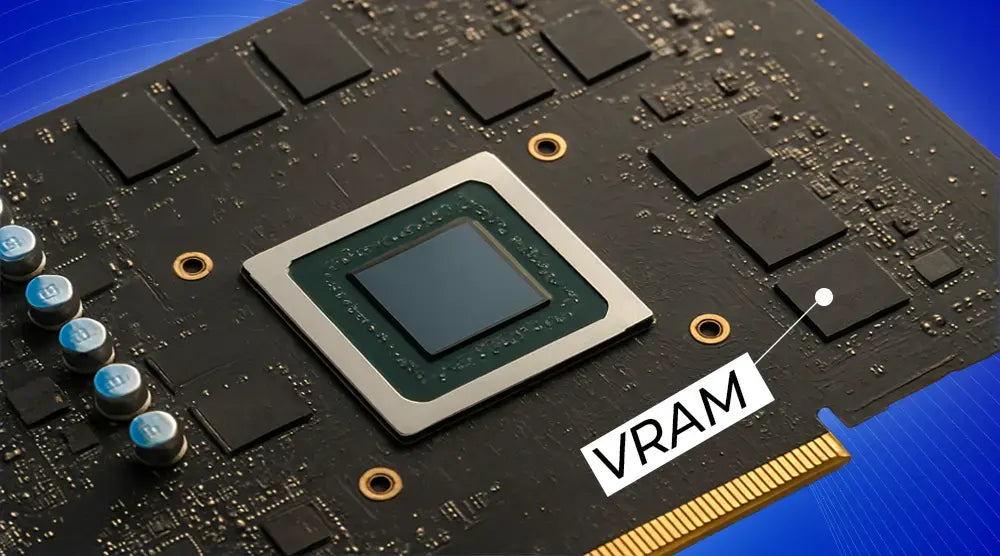
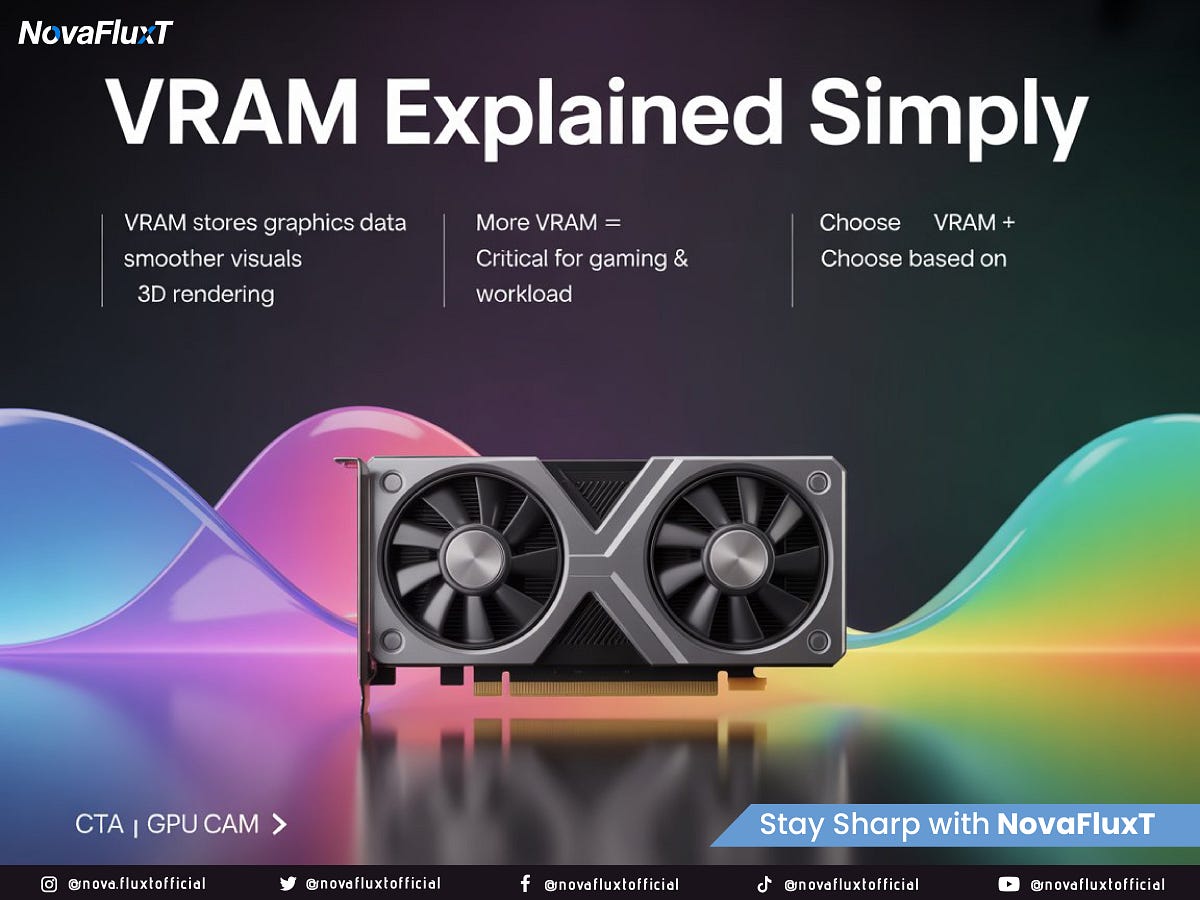
VRAM or Video Random Access Memory is a specialized type of RAM built directly onto your graphics card GPU Its primary job is to provide the GPU with ultra-fast access to all the graphical data it needs to render frames on your screen This includes game textures frame buffers Z-buffers and other crucial visual information Unlike your systems main RAM VRAM is designed for the high bandwidth demands of rendering complex 3D environments and effects.
For gamers VRAM dictates how much visual detail your GPU can handle simultaneously If your VRAM capacity is too low for a particular game at your chosen settings your GPU has to constantly swap data between its VRAM and slower system RAM This process known as 'VRAM swapping' or 'memory thrashing' leads to noticeable performance drops stuttering and texture pop-in It directly impacts your frame rates and overall visual fidelity making your gaming experience feel choppy and less immersive. With US gamers regularly dedicating 10 plus hours a week to gaming we want those hours to be smooth and enjoyable.
How Does VRAM Directly Impact In-Game Performance and FPS
The relationship between VRAM and in-game performance is direct and significant Especially with modern titles that feature hyper-realistic graphics expansive open worlds and high-resolution textures VRAM acts as a buffer If there's sufficient VRAM the GPU can quickly access all the necessary assets leading to consistent frame rates and smooth gameplay. However when VRAM runs out the GPU starts relying on the slower system RAM which dramatically increases data retrieval times.
This reliance on system RAM creates bottlenecks that manifest as noticeable FPS drops micro-stutters and input lag Even if your GPU is powerful enough to process the graphics it will be held back if it cant get the data fast enough from VRAM. Imagine a chef with all the right ingredients but a tiny countertop they have to keep running to the pantry slowing down meal preparation. That's your GPU struggling with insufficient VRAM. This is a common pain point for many gamers striving for that perfect balance between visual splendor and fluid performance.
How Much VRAM Do I Really Need for Gaming in 2026
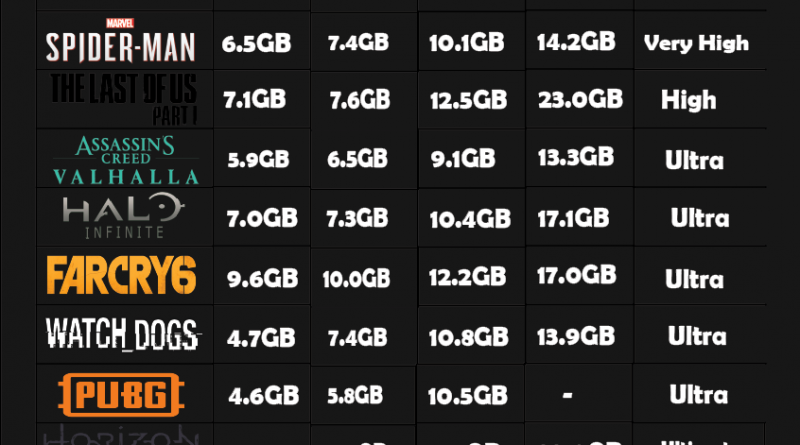
The ideal VRAM capacity largely depends on several factors your target resolution the games you play and your desired graphics settings. In 2026 gaming demands have generally increased across the board. Here's a general guide for typical US gaming setups:
- 1080p Gaming: For most games at 1080p on high to ultra settings 8GB of VRAM is generally sufficient and provides a good balance of performance and cost. However some very demanding new titles might start pushing towards 10GB for ultra settings.
- 1440p Gaming: For smooth 1440p gameplay at high to ultra settings 10GB to 12GB of VRAM is becoming the sweet spot This ensures you can enjoy crisp visuals without compromise. Many popular competitive and social games like those heavily featured on platforms like Discord benefit from this.
- 4K Gaming: For true 4K experiences at high settings 16GB of VRAM or more is highly recommended This allows for maximum texture detail and complex rendering without VRAM becoming a bottleneck. As 4K monitors become more accessible this is the future proofing standard.
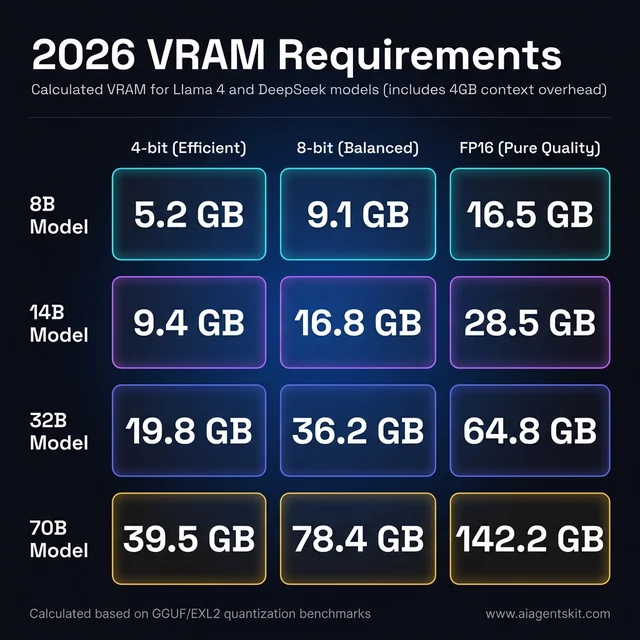
- VR and AI Workloads: If you're into VR experiments or dabbling in creative AI tasks beyond gaming consider even higher VRAM capacities 16GB+ as these workloads are often memory intensive.
Remember these are guidelines. Always check specific game requirements and reviews especially for new AAA releases.
What Happens if My Graphics Card Doesn't Have Enough VRAM
Running out of VRAM can significantly degrade your gaming experience. When your GPU maxes out its dedicated video memory it has to offload data to your slower system RAM or even your storage drive. This process is far less efficient and leads to several frustrating symptoms:
- Stuttering and Choppy Gameplay: The most common sign is inconsistent frame rates often characterized by micro-stutters or noticeable freezes even if your average FPS seems okay.
- Texture Pop-In and Blurry Textures: You might see textures suddenly loading in or appearing blurry for a few seconds especially when quickly moving through environments. This is because the VRAM cant hold all the high-resolution textures.
- Reduced Performance and Lower FPS: Overall frame rates will be lower than what your GPU is theoretically capable of because of the constant data shuffling.
- Longer Loading Times: Games might take longer to load assets and levels.
- Game Crashes or Instability: In extreme cases running critically low on VRAM can lead to game crashes or system instability especially during intense graphical moments.
Addressing these issues might involve lowering graphical settings like texture quality or anti-aliasing rather than immediately buying a new GPU.
Can I Upgrade My Graphics Card's VRAM Capacity
Unfortunately no You cannot directly upgrade or add VRAM to an existing graphics card The VRAM chips are physically soldered onto the graphics card's PCB Printed Circuit Board and are an integral part of its design. The VRAM capacity is fixed at the time of manufacture and cannot be expanded like system RAM in your PC.
If you find that your current graphics card is consistently bottlenecked by insufficient VRAM your only solution is to upgrade to a newer graphics card that comes with a higher VRAM capacity. This is an important consideration when planning future hardware purchases especially for gamers on a budget who want to maximize value. Look for GPUs with VRAM that meets or exceeds your anticipated needs for the next few years to avoid premature upgrade cycles.
How Do I Check My Current VRAM Usage and Available VRAM
Knowing your VRAM capacity and current usage is a smart move for any gamer looking to optimize performance. Here are a few straightforward ways to check:
To check total available VRAM:
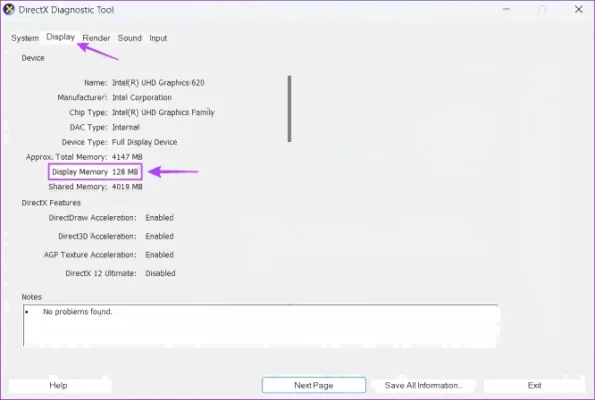
- Windows Display Settings: Right-click on your desktop select 'Display settings' scroll down and click 'Advanced display settings'. From there click 'Display adapter properties for Display 1' (or whichever display uses your dedicated GPU). Your 'Dedicated Video Memory' is your VRAM.
- GPU Monitoring Software: Tools like MSI Afterburner HWMonitor or GPU-Z provide detailed information about your GPU including its VRAM capacity and real-time usage. These are excellent for active monitoring during gaming.
To check real-time VRAM usage during a game:
- Task Manager: Press Ctrl+Shift+Esc to open Task Manager. Go to the 'Performance' tab and select your GPU. You'll see 'Dedicated GPU memory usage'.
- In-Game Overlays: Many games have built-in performance overlays that display VRAM usage. Also, GPU monitoring software like MSI Afterburner can overlay this information directly onto your game screen.
Monitoring VRAM usage during gameplay helps you understand if you're hitting your VRAM limits and if adjusting settings like texture quality would help.
Does VRAM Matter More Than GPU Processing Power
Its not an either/or situation VRAM and GPU processing power are two sides of the same coin both crucial for an optimal gaming experience. Think of your GPU's processing power (its cores clock speed etc.) as the engine and VRAM as the fuel tank.
- Powerful GPU, Low VRAM: A very powerful GPU with insufficient VRAM is like a supercar with a tiny fuel tank. It has immense processing capability but will constantly stutter and struggle because it cant access enough data quickly.
- High VRAM, Weak GPU: Conversely a graphics card with lots of VRAM but a weak GPU processor is like a massive fuel tank on a scooter. It can hold tons of data but the engine cant process it fast enough to deliver high frame rates.
The goal is a balanced system where your VRAM capacity is appropriate for your GPU's processing power and your gaming needs. For the average gamer aged around 36 balancing work and play this means investing wisely in a GPU that offers a good equilibrium of both to ensure smooth, enjoyable sessions without overspending on one aspect while neglecting the other.
What Role Does VRAM Play in Textures and Visual Fidelity
VRAM is absolutely fundamental to textures and overall visual fidelity in games. High-resolution textures which are crucial for realistic graphics take up a significant amount of VRAM. When a game uses 4K textures or very detailed environmental assets they need space in VRAM to be stored and accessed instantly by the GPU.
If you have ample VRAM your GPU can load and hold these high-resolution textures without issue resulting in crisp sharp and immersive visuals. However if VRAM is limited the game might automatically downgrade texture quality or resort to loading lower-resolution textures which can make the game look noticeably blurrier or less detailed. This is why VRAM directly affects how gorgeous a game looks on your screen particularly at higher resolutions like 1440p and 4K which are increasingly popular among US gamers.
The Future of VRAM What to Expect in Upcoming Games 2026
Looking ahead into late 2026 and beyond VRAM demands are only going to continue to increase. Game developers are constantly pushing the boundaries of realism with more intricate geometries larger open worlds and higher fidelity assets. Technologies like ray tracing and path tracing which simulate light more accurately are also incredibly VRAM intensive as they require storing vast amounts of spatial data.
Furthermore as resolutions like 4K and even 8K become more mainstream and VR gaming experiences grow in popularity higher VRAM capacities will become non-negotiable. Expect 16GB to 24GB or even more VRAM to become the standard for high-end gaming at top resolutions in the next few years. For gamers who prioritize future-proofing their rigs or those considering a console generation upgrade a generous VRAM buffer is a wise investment to ensure compatibility and smooth performance with upcoming titles.
Conclusion
Understanding how VRAM affects gaming is no longer a niche topic for hardware enthusiasts It's essential knowledge for any gamer aiming for a smooth immersive experience without unnecessary frustration. From preventing stutters and blurry textures to enabling high-resolution gameplay VRAM plays a pivotal role in every frame you see. By knowing your VRAM needs and how to monitor its usage you can make smarter upgrade decisions optimize your game settings and truly enjoy your valuable gaming time.
Remember a balanced system is a happy system Invest in a GPU with adequate VRAM for your target resolution and game preferences and youll be set for many hours of enjoyable gaming. What's your biggest gaming challenge when it comes to performance Comment below!
FAQ Section
Q: Does VRAM affect loading times in games?
A: Yes VRAM can affect loading times. If there isn't enough VRAM for all necessary assets the game might load data from slower system RAM or even storage causing longer load screens and in-game asset streaming delays.
Q: Is more VRAM always better for gaming?
A: Not always. While sufficient VRAM is crucial having an excessive amount of VRAM with a weak GPU won't significantly improve performance. A balanced GPU with adequate VRAM for its processing power and your specific gaming resolution is key.
Q: Can old games benefit from lots of VRAM?
A: Generally no. Older games were developed with much lower VRAM capacities in mind and typically won't utilize more than 4-8GB even at high resolutions. The benefits of high VRAM are most apparent in modern graphically demanding titles.
Q: How does VRAM compare to system RAM for gaming?
A: VRAM is dedicated to the GPU for graphics data offering much higher bandwidth than system RAM. System RAM is for the CPU and general system operations. While they serve different purposes insufficient VRAM can force the GPU to use slower system RAM as a fallback.
VRAM is vital for storing game textures and data directly impacting frame rates and visual quality. Insufficient VRAM causes stutters texture pop-in and poor performance. High resolutions and graphics settings demand more VRAM. Checking VRAM usage helps identify bottlenecks. Future proofing means considering higher VRAM for upcoming games and 4K. Balancing VRAM with GPU power is crucial for value.
35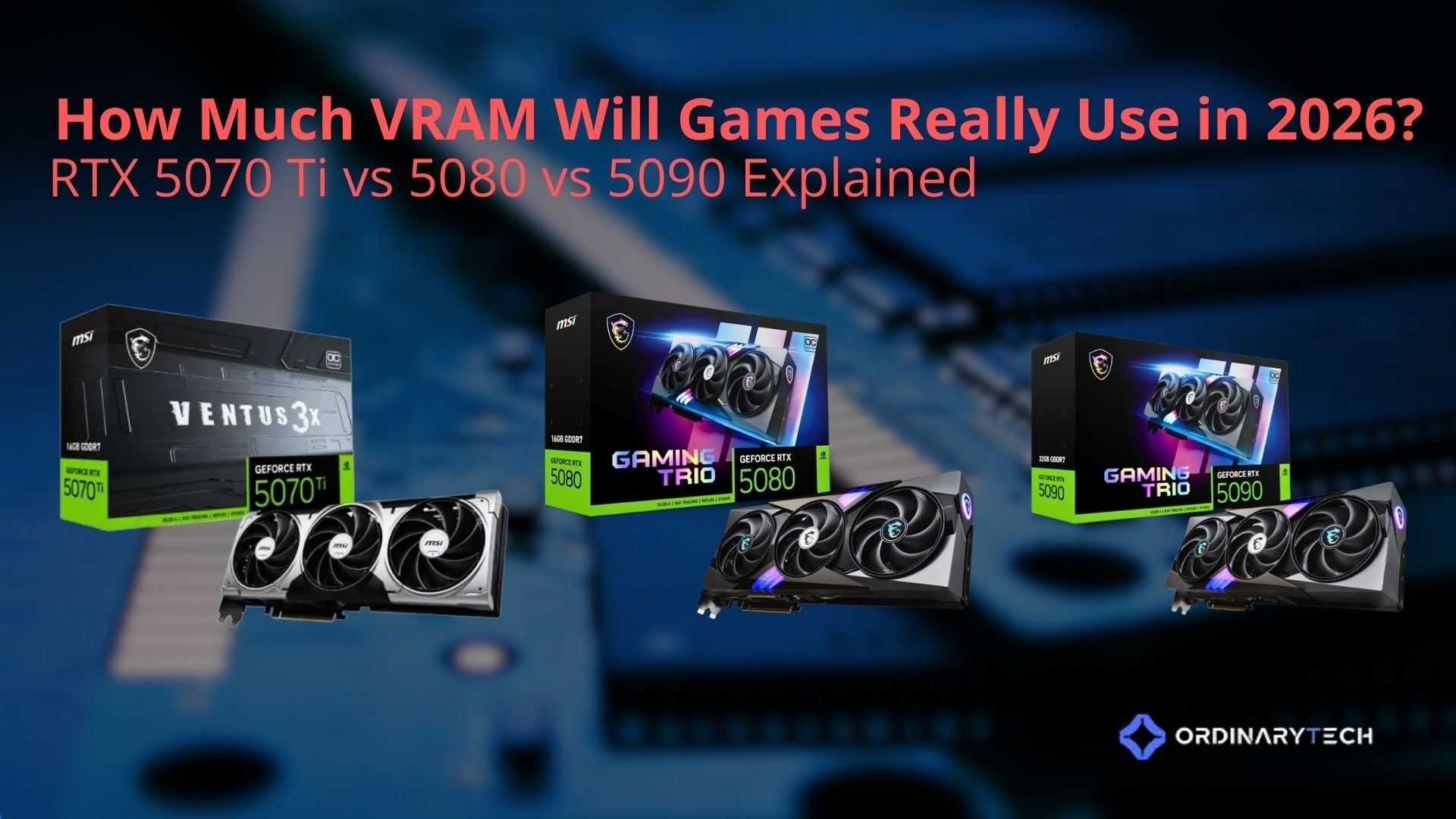

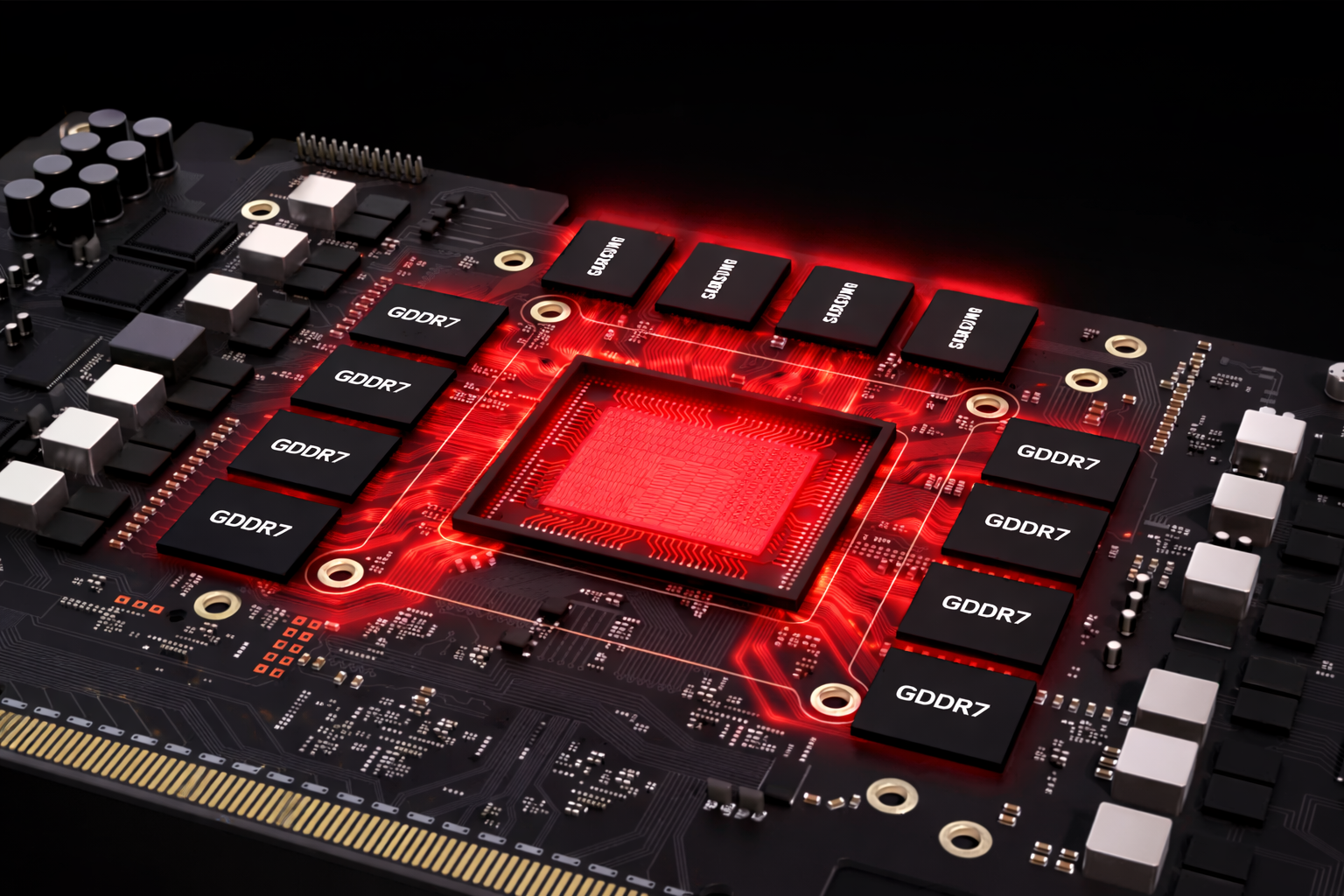
How Much VRAM Will Games Really Use In 2026 RTX 5070 Ti Vs 5080 Vs 50 2 . How Much VRAM Do You Need In 2026 IGPU Mini PC Guide ACEMAGIC Blogs How Much Vram Do You Need . Memory And Gaming The RAM VRAM Connection 2026 Guide Memory And Gaming The RAM VRAM Connection . How Much VRAM Do You Need For Gaming In 2026 8GB Vs 12GB Vs 16GB Vs Gpu Vram Gddr7 Memory Explained 2026 . The Best 8GB VRAM GPUs To Consider In 2026 Importance Of VRAM In Gaming.webp



How Much VRAM Do You Need 2026 Guide For Gaming Editing VRAM Whats And Whys 1024x576 . How Much VRAM Do You Need For Gaming In 2026 8GB Vs 12GB Vs 16GB Vs Gpu Vram Location On Graphics Card Diagram. Nvidia Probably Doesn T Care About Gamers As RTX 5080 Allegedly Has 1721916655 Vram Usage In . How Much VRAM Is Enough For PC Gaming TechSpot TLOU F . How VRAM Affects Gaming Performance YouTube Hqdefault



How To Undervolt Your GPU 2026 Guide Lower Temps Without Losing FPS Vram Gaming Gpu Memory Performance. Is 8GB VRAM Still Enough For Gaming In 2026 Fps Comparrison. How To Increase VRAM For Gaming And What VRAM Actually Does How To Increase Vram.webp. What Is VRAM And Why It S Crucial For Gaming Performance Techwhiz Inc What Is VRAM And Why It S Crucial For Gaming Performance C0465445 2813 4b96 8f43. How Much VRAM Do You Need For Gaming Guide GPU Mag Vram And Gaming


GPU VRAM Guide The Ultimate Buying Matrix Giga Screens Elena Rodriguez Vram Bottleneck Analysis 585x390 . How To Increase VRAM For Gaming And What VRAM Actually Does How To Increase Vram How To Increase Vram Image 1.webp.webp. Best GPU For Running AI Locally 2026 Complete Guide Vram Matrix.webp. Is 8GB VRAM Still Enough For Gaming In 2026 Vram 8gb Vs 12gb 1024x559 . What Is VRAM And Why It Matters For Gaming Performance Image.axd



How Does VRAM Affect Your PC Gaming FPS Ultimate PC Gaming Guide . VRAM Explained Why Modern Games Demand More Of Vram VRAM Explained Why Modern Games Demand More Of Vram . How Much VRAM Do You Need For Gaming In 2026 8GB Vs 12GB Vs 16GB Vs Rivatuner Msi Afterburner Fps Cpu Gpu Overlay. VRAM Usage In Games Laptop Study Find The Cheapest Best Laptop VRAM [email protected] 1 800x445 . GPU VRAM In 2026 Does 8GB Still Compete Against 16GB NoobFeed Radeon Rx 9060


Is 8GB VRAM Still Enough For Gaming In 2026 Gpu Vram Comparison 2025 . How Much VRAM Do You Need For Gaming 2026 Guide MaxMyBuild Image. How Much VRAM Do You Need For Gaming 2026 8GB Vs 12GB Vs 16GB How Much Vram Do You Need For Gaming 300x128 . How Much VRAM Do You Need 2026 Guide For Gaming Editing Pexels Zeleboba 18338304 Scaled . How Much VRAM Do You Need For Gaming In 2026 8GB Vs 12GB Vs 16GB Vs Cpu Vs Gpu Bottleneck Gaming Pc Diagram 138a5c02 31a3 4280 962d
How Much VRAM Will Games Really Use In 2026 RTX 5070 Ti Vs 5080 Vs 50 April 2026 2f6a0f0c 9102 4dc7 9741 . VRAM Explained Simply Why It Matters For Gaming AI And Beyond In . Qu Es VRAM Gu A Completa 2026 Para PC Y Gaming GEEKOM Espa A Integrated Gpu Vram. How Much VRAM You Need For Gaming In 2025 GPU Guide CCL CCL 660 BLOG GIGABYTE 1980x1080 New Updated Image . Quanta VRAM Serve Nel 2026 Guida GDDR6 GDDR7 VRAM 2026.webp