Are you a dedicated gamer balancing daily life with your passion for virtual worlds? Do you ever wonder how some Roblox creators seem to effortlessly generate Robux, enhancing their games and even earning a little extra? Understanding how to make a gamepass on Roblox is a powerful skill that transforms your gameplay experience and opens doors to a vibrant creator economy. In 2026, with 87% of US gamers regularly diving into virtual experiences for an average of 10+ hours a week, and mobile gaming dominating a significant portion, knowing how to leverage in-game monetization like Game Passes is more relevant than ever. This comprehensive guide is designed for busy adults who love gaming, offering a clear, step-by-step approach to creating, customizing, and profiting from Game Passes. Discover how to provide value to your players, improve their engagement, and add a valuable income stream, all while making your game stand out in the bustling Roblox universe. Learn the simple yet effective strategies to design Game Passes that resonate with your community, turning your creative efforts into tangible rewards without requiring an overwhelming time commitment. No technical jargon, just practical advice to elevate your Roblox presence.
How do I create a Game Pass on Roblox?
Creating a Game Pass on Roblox involves navigating to the Creator Dashboard online, selecting your game, uploading an image for the pass, giving it a name and description, and setting a Robux price. Crucially, you then need to script its functionality within Roblox Studio to ensure players receive the promised in-game benefits upon purchase. This process is straightforward, designed for creators of all skill levels to monetize their experiences.
What are the steps to set up a Game Pass for my game?
The steps to set up a Game Pass begin by logging into the Roblox Creator Dashboard, selecting your game, and heading to the 'Monetization' section to 'Create a Game Pass'. You'll then upload an icon, name it, describe its benefits, and configure its price under the 'Sales' tab. The final and most vital step is to implement the necessary Lua scripting in your game using MarketplaceService functions to detect purchases and activate the Game Pass's unique features for the player.
Can I earn Robux by selling Game Passes?
Yes, earning Robux by selling Game Passes is one of the primary ways creators monetize their games on Roblox. When a player purchases your Game Pass, a percentage of the Robux (typically 70% after Roblox's 30% commission) is added to your pending Robux balance. After a short pending period, these Robux become available for use within Roblox or, for eligible creators, can be cashed out via the Developer Exchange program.
How do I price my Game Pass effectively?
Effectively pricing your Game Pass requires balancing perceived value with affordability. Research what similar Game Passes sell for in popular games, and consider the significance of the perk offered. A rare cosmetic might be cheaper than a game-altering ability. Test different price points, and always ensure your price feels fair to players. Remember, Roblox takes a commission, so factor that into your desired earnings per sale.
Where do I manage my created Game Passes?
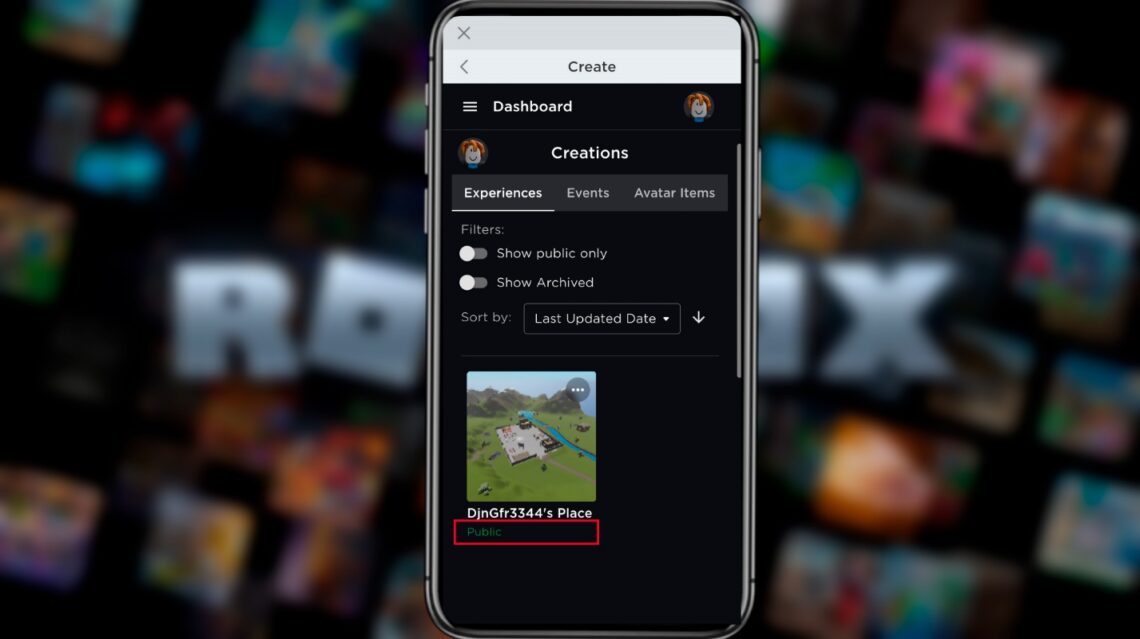
You manage all your created Game Passes through the Roblox Creator Dashboard, accessible via create.roblox.com. After logging in, select your specific experience (game) and navigate to the 'Monetization' section, then 'Developer Products & Game Passes'. Here, you can view, edit (name, description, image), and configure the sales settings (price, availability) for all Game Passes associated with that particular game.
What is the best way to promote my Roblox Game Pass?
Promoting your Game Pass effectively involves integrating it naturally into your game's experience, clearly showcasing its benefits. Use in-game signs, UI elements, and even a dedicated lobby area to highlight what players gain. Beyond your game, leverage social media platforms like Discord, Twitter, or TikTok, sharing engaging videos or screenshots of the Game Pass in action. Engage with your player community, gathering feedback and using it to refine your offerings, making sure your Game Pass provides real value that players are excited to purchase.
How much Robux can I expect to earn from Game Pass sales?
Your Robux earnings from Game Pass sales depend on several factors, including the popularity of your game, the appeal and pricing of your Game Pass, and Roblox's commission structure. Roblox typically takes a 30% commission on all sales, meaning you receive 70% of the Robux. For example, if you sell a Game Pass for 100 Robux, you'll receive 70 Robux. Consistent engagement with your game and strategic marketing can lead to significant earnings, particularly for creators with a dedicated player base.
Are there any common issues to watch out for when creating Game Passes?
Yes, several common issues can hinder your Game Pass success. A frequent problem is unclear descriptions or icons that fail to convey the Game Pass's value, leaving players confused. Another is overpricing, making the item seem unattainable or not worth the investment. Technical issues, like a Game Pass not granting its intended benefit due to scripting errors, can also frustrate players and lead to negative reviews. Always thoroughly test your Game Pass in a live game environment before wide release, and ensure your pricing aligns with similar offerings on the platform.
How do I update or modify an existing Game Pass?
To update or modify an existing Game Pass, navigate to your Roblox Creator Dashboard. Select the experience (game) associated with the Game Pass, then find 'Monetization' and 'Developer Products & Game Passes'. From there, you can locate the specific Game Pass you wish to modify. You'll typically be able to adjust its name, description, and image. However, be aware that once a Game Pass is created and sold, its unique ID remains permanent, and you cannot change its price directly without creating a new product or updating the script logic that references the price. For major changes, sometimes creating a new, improved Game Pass is more straightforward.
What makes a Game Pass successful on Roblox?
A successful Game Pass on Roblox generally offers tangible, desirable benefits that enhance a player's experience significantly without being pay-to-win in an unfair way. This includes exclusive items, powerful abilities, cosmetic upgrades, access to special areas, or time-saving boosts. It needs a clear, attractive icon and a compelling description. Crucially, it must be well-integrated into the game's core loop, making players feel like it's a valuable addition, not a tacked-on extra. Regular updates to your game and responsiveness to player feedback also contribute greatly to long-term Game Pass success.
Can I create Game Passes on a mobile device?
While you can manage some aspects of your Roblox account and creations via the mobile app, creating Game Passes directly from a mobile device is generally limited. The full functionality for creating and configuring Game Passes requires access to the Roblox Creator Dashboard, which is best accessed through a web browser on a desktop or laptop computer. This platform provides the necessary tools for uploading assets, setting prices, and managing game monetization settings more comprehensively than what's available on mobile interfaces.
What is the typical timeframe for Robux payouts from Game Pass sales?
When players purchase your Game Pass, the Robux revenue doesn't immediately appear in your account for withdrawal or spending. Robux earnings go into a 'pending' status for a period, typically around three to seven days. This pending period is a security measure to prevent fraud and ensure transaction integrity. After this waiting period, the Robux will clear and become available in your account balance, ready for use or to be cashed out through the Developer Exchange program if you meet its eligibility criteria.
For many adult gamers, the joy of diving into virtual worlds like Roblox is a cherished escape from daily responsibilities. You balance jobs, family, and life, seeking relaxation, fun, and perhaps a touch of creative expression. But what if your passion for gaming could also offer a small reward, or even a pathway to enhancing your favorite virtual spaces? Creating Game Passes on Roblox is exactly that opportunity. It's not just for professional developers; it's a savvy move for any gamer looking to deepen engagement with their own creations, offer unique experiences to friends, or even earn some Robux. With an estimated 87% of US gamers regularly playing and the average dedicating over 10 hours a week, the Roblox platform, especially its mobile component, represents a massive, active economy. Understanding how to make a gamepass on Roblox means tapping into this energetic community, providing value, and perhaps, turning your creative efforts into a modest, yet satisfying, income stream. Forget complicated setups; we're here to guide you through a straightforward process, designed for gamers like you who appreciate efficiency and tangible results.
This guide cuts through the noise, offering clear, actionable steps to help you master Game Pass creation. We'll cover everything from the basic concept to effective pricing, promotion, and common pitfalls to avoid. Our aim is to empower you to enhance your Roblox experience, whether you're building a world for casual play with friends or aspiring to create the next viral hit. You'll learn how to leverage Game Passes to foster a more engaging environment, optimize your performance as a creator, and ensure you're getting value for your time. Let's unlock the potential of your Roblox creations together.
Why Should I Make a Game Pass on Roblox?
Making a Game Pass on Roblox offers a multitude of benefits, especially for gamers who balance their hobby with a busy life. Primarily, it's a fantastic way to monetize your game, allowing you to earn Robux directly from players who appreciate your creations. This isn't just about profit; it's about funding future updates, new features, or even investing in other aspects of your gaming life. Beyond income, Game Passes significantly enhance player engagement. By offering exclusive content, special abilities, or VIP access, you provide an incentive for players to delve deeper into your game, fostering a more dedicated community. It adds a layer of depth and progression that keeps players coming back, building a loyal base that values the unique experiences you provide. It's a low-effort, high-reward approach to adding value to your game.
What Exactly Is a Roblox Game Pass?
A Roblox Game Pass is a special item players can purchase to gain permanent access to unique perks, abilities, or content within a specific Roblox experience (game). Think of it as a one-time purchase that unlocks exclusive benefits forever, similar to a digital key. Unlike Developer Products, which are often consumable items like extra coins or health potions, a Game Pass provides a lasting advantage or access. These can range from exclusive tools, custom character skins, access to VIP areas, or powerful in-game boosts. It's a core component of the Roblox monetization ecosystem, allowing creators to reward players who choose to support their game financially and offer differentiated experiences.
What Do I Need Before Creating a Game Pass?
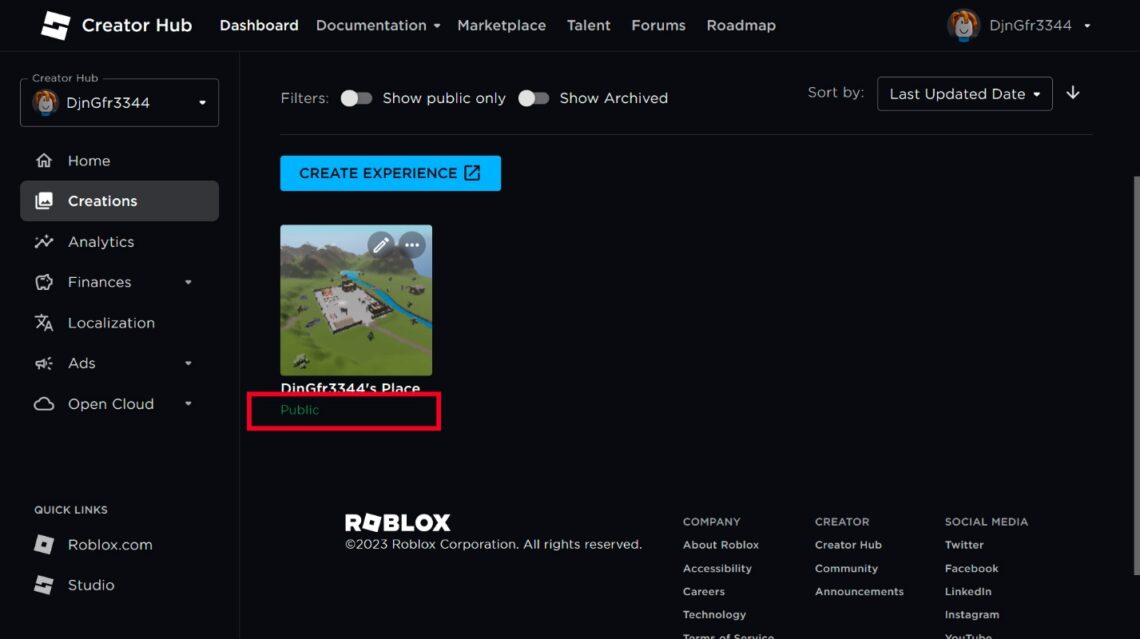
Before you dive into creating a Game Pass, you'll need a few essential things. First and foremost, you must have a Roblox account and a published experience (game) that you own. You can't create a Game Pass for someone else's game, nor can you create one for a game that isn't publicly accessible. While a Roblox Premium membership (formerly Builder's Club) isn't strictly required to create Game Passes, it can be beneficial for those looking to maximize their Robux earnings due to different marketplace commission structures. Ensure you have a compelling image ready for your Game Pass icon and a clear idea of the benefit or feature it will unlock within your game. Planning these elements beforehand streamlines the creation process.
How Do I Create a Game Pass on Roblox Studio?
Creating a Game Pass involves using the Roblox Creator Dashboard, not directly Roblox Studio for the initial setup. Here's a step-by-step guide to get your Game Pass live:
Go to the Roblox Creator Dashboard: Open your web browser and navigate to create.roblox.com. Log in with your Roblox account.
Select Your Experience: On the Dashboard, click on 'Experiences' from the left-hand menu. Then, click on the specific game (experience) for which you want to create the Game Pass.
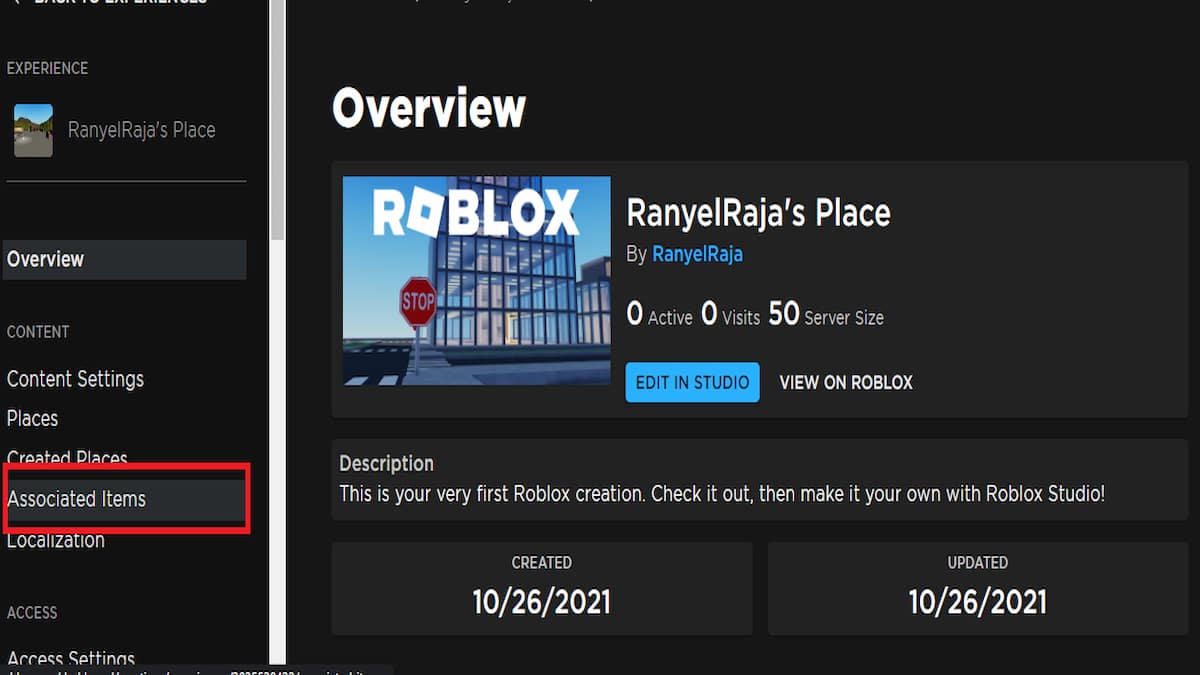
Navigate to Monetization: In the selected experience's overview, look for the 'Monetization' section in the left sidebar and click on it. Then choose 'Developer Products & Game Passes'.
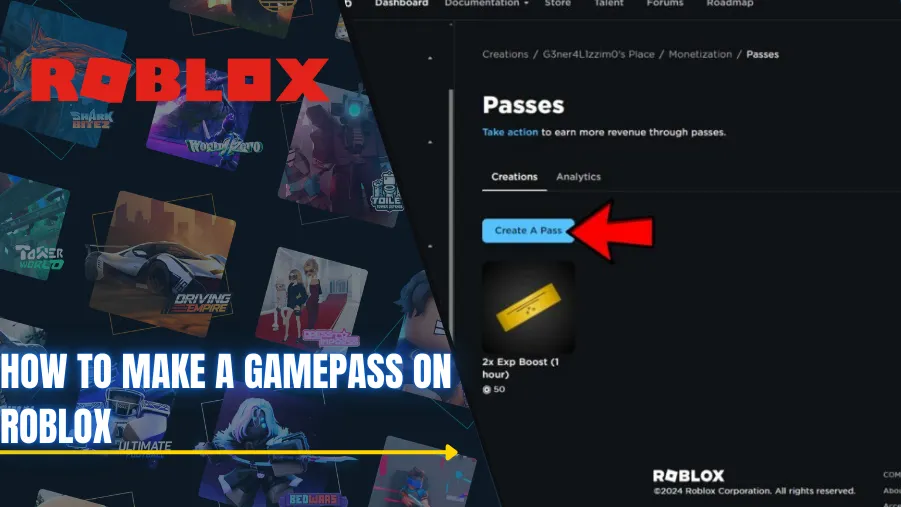
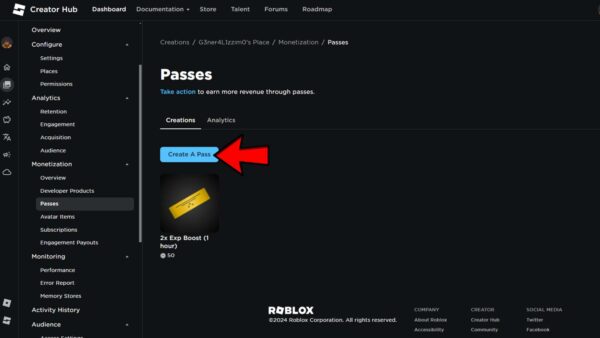
Create New Game Pass: Click the 'Create a Game Pass' button. You'll be prompted to upload an image. Choose a clear, appealing icon that represents what the Game Pass offers.
Name and Describe Your Game Pass: Give your Game Pass a descriptive name (e.g., 'VIP Access Pass', 'Ultimate Sword Pass'). Write a concise yet engaging description that clearly outlines the benefits players will receive. Be honest and enticing.
Set the Price: After creation, you'll see your new Game Pass. Click on it, then navigate to the 'Sales' tab. Toggle 'Item for Sale' to ON. Enter the desired Robux price. Remember, Roblox takes a commission (typically 30%), so factor this into your pricing strategy. Click 'Save Changes'.
Implement In-Game Functionality: This is crucial. Back in Roblox Studio, you'll need to script your game to detect when a player purchases this specific Game Pass and then grant the associated in-game benefits. You'll use `MarketplaceService` functions like `PromptGamePassPurchase()` to allow players to buy it and `UserOwnsGamePassAsync()` to check ownership. This ensures the Game Pass actually does something! Test thoroughly.
This structured approach ensures your Game Pass is properly set up and ready to generate excitement and Robux in your game.
How Do I Set the Price and Configure My Game Pass?
Setting the right price for your Game Pass is an art, not a science, and it significantly impacts sales. After creating your Game Pass via the Creator Dashboard, head to the 'Sales' tab. Toggle 'Item for Sale' and input your chosen Robux price. Consider these factors: the value of the perk (is it game-changing or cosmetic?), your target audience (casual players vs. hardcore enthusiasts), and competitor pricing (what do similar passes sell for in popular games?). Remember, Roblox takes a 30% commission, meaning you receive 70% of the sale price. A good strategy is to offer tiered passes – a cheaper one for minor perks and a more expensive one for significant advantages. Always start with a price you feel is fair, and don't be afraid to adjust it based on player feedback and sales data. Transparency in your description about what the pass offers for its price is key to building trust.
How Do I Make My Game Pass Appealing to Players?
Making your Game Pass appealing boils down to clarity, value, and visual presentation. First, your **Game Pass icon** must be eye-catching and clearly represent the benefit. A fuzzy, generic image won't draw attention. Second, the **description** must be concise, benefit-driven, and highlight what makes this pass worth purchasing. Use bullet points for easy readability. Instead of saying 'Gives you a sword,' try 'Unlocks the Legendary Dragonblade: +50 attack, unique fire animations, and swift movement speed!' Third, ensure the **in-game benefits** are genuinely desirable and enhance the player's experience without creating an unfair 'pay-to-win' scenario that alienates free players. Gamers, especially those balancing life with play, want to feel their investment is worthwhile for fun or skill-building. Fourth, integrate the Game Pass naturally into your game's narrative or progression, making it feel like a natural extension of the experience, not just a cash grab.
How Can I Promote My Game Pass Effectively?
Effective Game Pass promotion involves both in-game and external strategies. **In-game**, use clear UI elements or signs to advertise the Game Pass. Create a dedicated 'VIP' or 'Game Pass Perks' area that showcases the benefits. Integrate prompts at relevant points in the game, perhaps when a player encounters a challenge that the Game Pass could solve. **Externally**, leverage social media platforms where your target audience (often Gen Z/Millennial gamers) hangs out. Share short, engaging videos on TikTok or YouTube Shorts demonstrating the Game Pass in action. Post updates on Discord servers or X (formerly Twitter). Engage with your community, answer questions, and even run contests related to your Game Pass. Showcase testimonials or cool moments from players using your Game Pass. Remember, 87% of US gamers play regularly, and social gaming trends are stronger than ever, so reach out where they are already active.
What Are Common Mistakes to Avoid When Making a Game Pass?
Avoiding common mistakes can save you a lot of headache and improve your Game Pass success. One frequent error is **overpricing** your Game Pass; if it's too expensive for the value offered, players won't buy it. Another is having a **vague or misleading description** that confuses players about what they're actually getting. **Technical issues**, where the Game Pass doesn't actually grant the promised benefit due to scripting errors, are highly frustrating and lead to negative reviews. Don't create a 'pay-to-win' pass that makes the game unbearable for free players, as this drives away your core audience. Finally, **failing to test** the Game Pass thoroughly before launch can result in bugs that damage your credibility. Always test every aspect of your Game Pass from purchase to benefit activation in a live environment.
Can I Track My Game Pass Sales and Earnings?
Absolutely! Tracking your Game Pass sales and earnings is essential for understanding what works and refining your monetization strategy. Roblox provides comprehensive analytics through the Creator Dashboard. After logging in and selecting your game, navigate to the 'Developer Stats' or 'Analytics' section. Here, you can view detailed reports on your sales, including the number of Game Passes sold, the Robux earned (both raw and after commission), and even geographical data of your buyers. This data is invaluable for identifying trends, understanding player behavior, and making informed decisions about future Game Passes or pricing adjustments. Regular monitoring helps you optimize for value and engagement, ensuring your creative efforts are well-rewarded.
How Do Game Passes Fit into the Modern Roblox Economy?
In 2026, the Roblox economy is thriving, driven by user-generated content (UGC) and a robust creator ecosystem. Game Passes are a cornerstone of this, empowering individual creators to monetize their games directly. This fits perfectly with the trend of creators gaining more control over their content and earnings, reminiscent of popular streaming or influencer models. With mobile gaming dominating and social interaction at the forefront, Game Passes facilitate specialized experiences and community building. They allow players to support their favorite creators while receiving tangible in-game value, creating a virtuous cycle. As platforms like Roblox continue to foster creator influence and budget-friendly options, Game Passes remain a prime example of how gamers can both play and profit within the digital landscape, reflecting the broader shift towards decentralized, player-driven economies.
Is Creating Game Passes Worth My Time as a Busy Gamer?
For the busy adult gamer, time is a precious commodity. The good news is, creating Game Passes can be a highly efficient way to add value to your game without a massive time sink. Once set up and scripted, Game Passes generate passive income and continuous engagement. The initial effort of creation and scripting pays dividends over time. It's about smart monetization, not endless grinding. If you already enjoy building on Roblox, dedicating a few focused hours to implement a well-designed Game Pass can significantly enhance your game's appeal, offer unique perks to your community, and provide a rewarding stream of Robux. It's a strategic move to optimize your gaming experience, allowing you to focus more on the fun parts of creation and play, while your Game Pass works for you.
You've navigated the ins and outs of creating Game Passes on Roblox, transforming your game from a simple build into a dynamic, monetized experience. From understanding the basics to mastering pricing and promotion, you now possess the knowledge to provide unique value to your players and earn Robux for your creative efforts. This isn't just about making money; it's about enriching your game, fostering a stronger community, and getting more out of your gaming passion. Remember, the Roblox platform thrives on innovation and engagement, and your well-crafted Game Passes are a direct contribution to that vibrant ecosystem.
What's your biggest gaming challenge when it comes to creating or monetizing your content? Comment below and let's discuss!
FAQ Section
How much of the Robux do I get from Game Pass sales?
Roblox typically takes a 30% commission on Game Pass sales. This means that as the creator, you receive 70% of the Robux from each purchase. For example, if your Game Pass sells for 100 Robux, you will receive 70 Robux in your account after the transaction clears.
Can I make a Game Pass without a premium membership?
Yes, you can absolutely make a Game Pass without a premium membership. Any user with a Roblox account and a published experience (game) can create Game Passes. While premium benefits might include slightly different commission rates or perks in other areas, Game Pass creation is accessible to all creators.
What's the difference between a Game Pass and a Developer Product?
The primary difference is permanence and usage. A Game Pass grants permanent access to a specific perk or content within a game after a single purchase. A Developer Product, on the other hand, is generally a consumable item (e.g., extra currency, health potions) that can be bought multiple times and is used up after purchase, offering temporary or one-time benefits.
How long does it take for Robux from Game Passes to appear?
Robux earned from Game Pass sales enter a 'pending' status for approximately three to seven days. This waiting period is a security measure to ensure transaction validity. After this period, the Robux will clear and become available in your account balance for use or withdrawal through the Developer Exchange program.
Can I delete a Game Pass once it's created?
While you can remove a Game Pass from sale or un-associate it from your game, you generally cannot permanently 'delete' a Game Pass ID once it's created and published. You can, however, make it unavailable for purchase or modify its settings if you no longer wish for it to be active. For major changes, creating a new Game Pass might be more practical.
What are some popular types of Game Passes?
Popular types of Game Passes include VIP access (exclusive areas, chat tags), custom tools or weapons (powerful swords, unique guns), cosmetic items (rare outfits, pets, auras), skill boosts (faster XP, more currency), and access to special game modes or challenges. The most successful ones offer clear, desirable benefits that enhance the player's long-term enjoyment.
How do I link a Game Pass to in-game functionality?
To link a Game Pass to in-game functionality, you need to use Roblox scripting (Lua). You'll utilize `game:GetService("MarketplaceService")` to check if a player owns a specific Game Pass ID using `UserOwnsGamePassAsync(player, gamePassId)`. Based on the `true` or `false` result, your script will then grant the player the corresponding in-game benefit, such as unlocking an item, teleporting them to a VIP area, or activating an ability.
Simple step-by-step guide to create Roblox Game Passes. Learn how to set prices and customize your Game Pass. Discover effective promotion strategies for Game Passes. Understand how to earn Robux through in-game sales. Avoid common Game Pass creation mistakes for better success. Maximize player engagement and monetization for your Roblox game.
35


How To Make A Game Pass In Roblox 2026 Step By Step Guide Game Pass Roblox.webp. How To Create A GAMEPASS On Roblox FULL GUIDE 2026 YouTube . How To Make A Gamepass On Roblox 2026 Creator Hub Guide YouTube . How To Make A Gamepass On Roblox 2026 Update Way YouTube . How To Create A Gamepass In ROBLOX THE COMPLETE GUIDE YouTube


How To Create A Gamepass On Roblox Studio YouTube . How To Make A Gamepass In Roblox Full Tutorial YouTube . How To Make GAMEPASS In 1 Min In Roblox 2026 YouTube . How To Make Gamepass In Roblox Full Guide YouTube . How To Make Gamepass In Roblox 2026 Full Guide YouTube



How To Make A Gamepass On Roblox Step By Step Guide Copy Of WWE 2K25 . How To Make Gamepass On Roblox 2026 YouTube . How To Make A Gamepass In Roblox QUICK TUTORIAL YouTube . How To Make A Gamepass In Roblox Quick And Easy YouTube . How To Make Gamepass In Roblox Full Guide Create A Roblox Game Pass



Want To Make A Game Pass Roblox How Does It Work . How To Make A GAMEPASS Button On Roblox Studio That Gives You An Item . Roblox How To Make A Gamepass 2026 YouTube . How To Make A Gamepass On Roblox Step By Step Tutorial 2026 YouTube . How To Make A Gamepass In Roblox Step By Step Guide 2026 New Update


How To Make A Gamepass In Roblox In 2026 YouTube . How To Make A Gamepass On Roblox In 2026 Step By Step Guide Roblox Game Pass. How To Make A Game Pass In Roblox Easy Game Pass Creation 2026 YouTube . How To Make Gamepasses On Roblox Pro Game Guides Roblox Making Gamepass 2 . How To Create A Gamepass On Roblox 2026 Tutorial YouTube

How To Make A Gamepass On Roblox How To Create Your Gamepass In . How To Make A Game Pass On Roblox Step By Step Guide ONE Esports Roblox Step5 CreateAPass 600x338 . Gamepass In Roblox How To Create It In 2026 Word Image 332981 1 . Gamepass In Roblox How To Create It In 2026 Word Image 332981 5 1140x639 . How To Make A Gamepass In Roblox Step By Step 2026 Updated YouTube



How To Make Gamepass In Roblox Pls Donate Best Method YouTube . How To Make A Gamepass In Roblox Studio YouTube . Gamepass In Roblox How To Create It In 2026 Word Image 332981 14 1140x639 . Roblox Game Passes Your Guide To Making Them How To Create Gamepass On Roblox . How To Create A Gamepass On Roblox Roblox Tutorial 2026 YouTube